
Last Updated 1 week ago
Overview
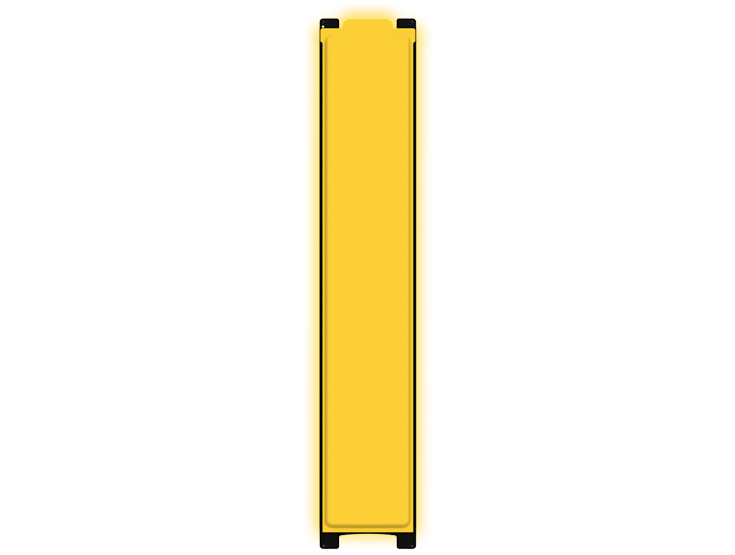
The Rosco DMG SL1 MIX is a long, slim full-colour LED soft light using Rosco’s six-colour MIX engine. Its approximately 44 × 8 inch body is useful for elongated soft keys, overhead strips, vehicle interiors and product reflections that benefit from a narrow rectangular source.
Rosco’s current page calls the fixture DMG SL1; the earlier manual identifies the MIX version as SL1 MIX. The reference is that colour-engine model. The head requires a separate compatible driver and power supply, so a bare used SL1 is not a complete operating light.
Key specifications
| Specification | Details |
|---|---|
| Fixture class | Six-colour MIX-engine LED soft light |
| Model identification | Current DMG SL1 product number 298222000401 |
| Maximum power | 200 W maximum |
| White range | 1700–10000 K |
| Emitter colours | Red, green, blue, lime, amber and white (4000 K) |
| Fixture dimensions | 1118 × 205 × 37 mm / approximately 44 × 8 × 1.4 in |
| Listed fixture mass | 4.18 kg / 9.2 lb, fixture |
| AC power system | 100–240 V AC via the specified supply |
| Battery system | 12–35 V DC through the specified battery adapter |
| Package requirement | Separate compatible MIX driver and PSU |
| Control via matching system | myMIX/Bluetooth, DMX/RDM, CRMX Timo FX, Art-Net LAN/Wi-Fi; verify driver and firmware |
| Published high-speed claim | Flicker-free up to 4000 fps; test the intended camera mode |
Strengths and limitations
Strengths
- A broad emitting face suits soft keys and controlled reflections.
- Model-specific controls allow repeatable white or colour settings.
Limitations
- Diffusion and grids change both the exposure and the useful coverage.
- The controller, supply and rigging are part of the complete package.
Practical uses
The long narrow format can create a horizontal catchlight, a soft side source or a strip-shaped reflection. Its shallow head can help in low-ceiling or confined positions, although the mount, diffusion and cable exit still require working clearance.
The 200 W maximum class provides more scale than a pocket fixture without the size of a large square soft panel. When lighting faces or glossy products, assess the visible source shape through the camera and add the matching diffusion or flags as needed.
A separate driver makes interface access possible away from an awkward head position, but it adds another component to mount, connect and transport. Ask for the head, MIX driver, PSU, interconnect, holder and modifiers as a compatible package.
| Setup | Working approach |
|---|---|
| Interview key | Set source size and distance for the required wrap, then add a grid or flags. |
| Product reflection | Watch the actual reflection while adjusting orientation and diffusion. |
Output and colour
The current Rosco data sheet gives the following centre illuminance without a diffuser. The white settings and distances are retained exactly as published. These are not output figures through an added softbox, dense diffusion or a saturated colour setting.
A broad panel’s coverage and apparent size matter as much as the centre value. For the final setup, fit the intended diffusion and spill control, place the fixture at its working distance and meter across the subject area. Do not compare a bare soft-light figure with a spotlight’s narrow-focus peak as though the beams were the same.
| Setting / modifier | 1 m, lux | 3 m, lux |
|---|---|---|
| 3200 K, no diffuser | 4,100 | 552 |
| 5600 K, no diffuser | 4,036 | 544 |
Rosco’s MIX engine uses red, green, blue, lime, amber and white emitters, with the white component identified at 4000 K. The documented tunable-white range is 1700–10000 K. The additional emitter colours are part of the spectral-mixing system rather than six separately interchangeable conventional lamps.
WHITE, GEL, HSI/xy colour, effects and SOURCE MATCH functions address different tasks. The current sheet describes more than 130 True Rosco Color gel matches and Rec.709/Rec.2020 overlays. A matching gel name does not establish identical spectra or equal brightness to a physical gel on another source.
Record the chosen mode, colour-space setting, white/tint or colour values and intensity for a repeatable cue. Check skin, fabrics and products on the production camera. The manufacturer’s up-to-4000-fps flicker-free statement should still be tested at the actual frame rate, shutter, dimming level and effect mode.
Power and batteries
The current sheet lists 100–240 V AC via a separately supplied power system and 12–35 V DC through the specified battery adapter. It explicitly says both a driver and power supply are required and sold separately. The fixture’s 200 W maximum rating is not proof that an arbitrary battery, cable or older driver can sustain the complete package.
Confirm every power component and its regional rating before a hire or used purchase. A product listing that includes only the luminous head may omit a costly or hard-to-source driver, PSU, battery interface or head cable. Weight and dimensions in this article describe the fixture rather than a packed case.
Support the power electronics and cable runs separately, provide strain relief and allow ventilation. For battery work, check voltage, continuous discharge, connector rating and expected duration at the actual operating mode. Stored energy is only one of those limits.
Control, cooling and camera operation
The MIX driver carries the local interface and control connections. The current system specification lists Bluetooth/myMIX, five-pin DMX/RDM, LumenRadio CRMX Timo FX and Art-Net through LAN/Wi-Fi. Confirm the actual supplied driver and firmware before assigning every current protocol to an older SL1 kit.
Set the DMX address and profile, pair the correct radio system and test low fades, blackout and signal loss. For a wired DMX run use the correct five-pin cables and final termination. For Art-Net, confirm the actual interface, universe and network settings; a LAN connector and a DMX connector are different electrical/data paths.
The app is useful for remote colour adjustment and setup, while a console can coordinate timed cues across multiple fixtures. Test the route that will be used during a take, especially when mixing older MIX drivers with newer app or firmware versions.
Modifiers, rigging and the working package
Use the specified single-ball/gooseneck/quick-fit mounting accessories as appropriate to the actual head and orientation. The shallow body still places leverage on its mount when extended sideways. Include the driver, cabling and modifiers in the support plan and keep cable loads off the electrical connectors.
Match diffusion, grids, lightbanks and mounting accessories to the exact model and version. A grid restricts spill while diffusion changes the appearance of the luminous face and the available level. Keep those modifier states in camera and lighting notes.
Inspect the emitting surface, colour uniformity, rear mount, driver connections and supply leads. Test warm/daylight whites, saturated colours, low fades and the intended radio/wired/network route. Check that all required interconnects and accessories are present and that the housing or mount has not been bent during transport.
Use the weather, ambient and ventilation guidance in the matching manual; this article does not assign an unverified outdoor IP rating to the complete older MIX package. The condition and protection of a separate driver or PSU matter as well as the head.
Alternatives and related fixtures
The MAXI MIX provides a taller, larger colour source at a higher load. A LiteMat 4 Plus is a different variable-white head/controller ecosystem. Choose the SL1 MIX for its long narrow source and complete MIX control system, rather than matching lights only by rated watts.
| Fixture | Choose it for |
|---|---|
| DMG MAXI MIX | A different emitting area in the MIX system. |
| PavoSlim 240C | A different full-colour panel, mounting and power arrangement. |
What people are saying
Nicolas Goerg: MIX-controller operation
Rosco’s Nicolas Goerg demonstrates the MIX controller’s features and menus. His walkthrough is intended to accompany the MIX user guide, making it useful for checking a complete head-and-controller package. View the source.
Videos
Rosco DMG SL1 MIX: family guide
Manufacturer MIX-controller walkthrough; confirm driver and firmware compatibility for the actual head.
Rosco: DMG SL1 SNAPBAG
A manufacturer guide to the model’s softbox and diffusion.
Rental and used-fixture checks
Check the exact model and revision, complete power package, mounting hardware and control leads. Inspect emitting surface, connectors and support points. Test the intended operating level, fade and camera settings before rigging.
Documentation and specifications
official current model information, Rosco technical sheet and MIX assembly and operating guide.
Product photograph: Rosco official product photograph.
Browse Rosco / DMG lights · LED panels · all equipment.