
Last Updated 1 hour ago
Overview
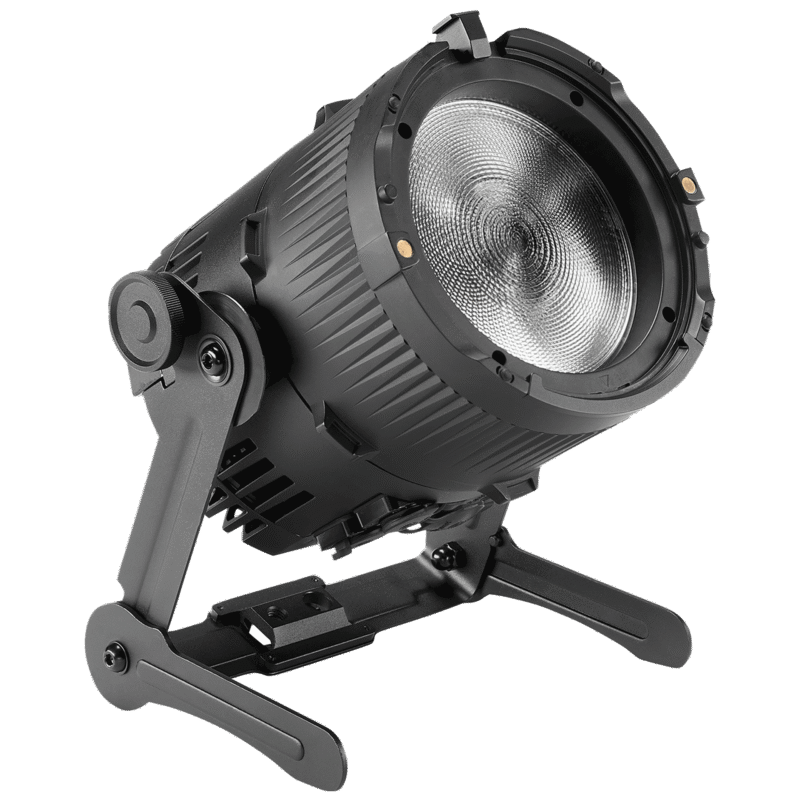
The Astera QuikPunch is a battery-powered RGBMintAmber spotlight with a 13–60° Fresnel zoom, wired DMX and built-in CRMX. Its 75W LED draw, 5-inch lens and larger battery package suit controlled accents, stage lighting and location work requiring more output than the smaller QuikSpot.
Images: Astera. Select an image to enlarge; swipe the gallery on smaller screens.
QuikPunch combines the Astera wireless workflow with a mechanically focused beam. It is a substantial fixture at approximately 6.57kg before additional grip hardware, so its quick-release yoke does not remove the need for a suitable stand or clamp.
Key specifications
| Specification | Details |
|---|---|
| Order Code | AST-QUKPN |
| LED Engine | Titan LED Engine |
| Colors | RGBMintAmber |
| LED Power Draw | 75 W |
| Beam Angle | 13° – 60° |
| Field Angle | 20° – 75° |
| Battery Runtime | up to 20 hours |
| Battery Runtime (max. Brightness) | 4 h 30 m |
| Charging Time (nominal) | 5 hours 15 min |
| AC Input | 100 – 240 VAC, 50/60 Hertz, 115 VAC – 2 A / 230 VAC – 1 A |
| AC Connector | PowerCON TRUE1 IN/OUT |
| Power Consumption (max.) | 100 W |
| Wired DMX | Yes |
| CRMX Receiver | Built-in |
| BluetoothBridge BTB | Built-in |
| IP Rating unwired | IP65 |
| IP Rating wired | IP65 |
| Ambient Operating Temperature | 0 – 40 °C / 32 – 104 °F |
| Weight | 6.567 kg / 14.48 lbs |
Strengths and limitations
Strengths
- Manual zoom and dedicated barndoors give more beam control than a fixed-angle battery PAR.
- Wired power and DMX supplement the internal battery and wireless receiver.
- The removable yoke, AirlineTrack and PrepBox-compatible charging system support repeated deployment.
Limitations
- The larger battery and housing add weight when compared with QuikSpot and QuikBeam.
- OutputGain prioritises event brightness; Astera’s colour-rendering claim applies with it disabled.
- Published lux tables differ between the current web page and data sheet, so use one documented configuration for exposure comparisons.
Practical uses
| Setup | Working approach |
|---|---|
| Location accent | Place a defined pool on a doorway or background surface, then trim the spill using the actual barndoor and zoom combination. |
| Stage or event front light | Prepare colour, address and runtime together. Meter the full performance area and allow for movement outside the centre of the beam. |
| Wall wash | Flood the fixture and evaluate overlap at the wall. An elliptical filter or EdgeSoftener can change the look more usefully than simply increasing level. |
Output and colour
The current web table gives 6,966 lux at 3m, 5,500K and 13° spot. The V4 data sheet instead lists 58,918 lux at 1m for its 5,500K spot reference. These are separate published datasets; they should not be combined into a single distance table or treated as a measured inverse-square comparison.
The Titan engine mixes red, green, blue, mint and amber. Astera specifies CRI/TLCI of at least 96 over 3,200–6,500K with OutputGain disabled. The optional EdgeSoftener modifies the beam edge; barndoor performance should be checked at the intended zoom rather than assumed from a product photograph.
| Manufacturer reference | Published output |
|---|---|
| Web specification: 3,200K, 13° spot, 3m | 5,987 lux |
| Web specification: 5,500K, 13° spot, 3m | 6,966 lux |
| V4 data sheet: 5,500K, 13° spot, 1m | 58,918 lux |
Power and batteries
Astera lists 4h 30m at maximum brightness and a managed runtime up to 20 hours. The longer setting reduces the available output. Nominal charging is 5h 15m; plan a charging window as well as the shooting or event duration.
AC input is 100–240V through TRUE1 input/output. The maximum consumption is 100W, separate from the 75W LED draw. A charging flight case or ChargingPlate is an additional electrical load and package choice; verify its supply requirements independently.
Control and camera operation
Onboard controls, wired DMX, CRMX, infrared and AsteraApp cover standalone and console operation. The V4 data sheet specifies wired and wireless RDM. Match the installed firmware and chosen DMX profile at prep.
PrepBox can configure supported fixtures on the charging arrangement before deployment. Check the intended runtime, OutputGain, addresses and signal-loss behaviour on each lamp. Test camera flicker at the working dim level and shutter.
Modifiers, mounting and the working package
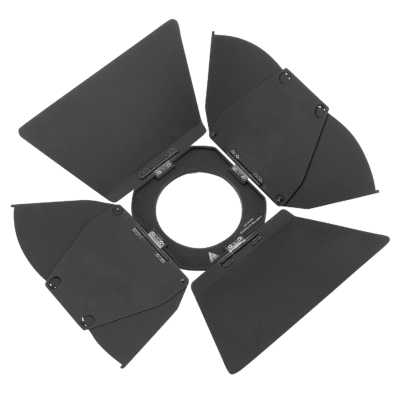
The package lists a removable yoke and dedicated barndoors. AirlineTrack, a 3/8-inch thread and yoke mounting points accept the appropriate pins and clamps. Include the modifier and restraint in the working load.
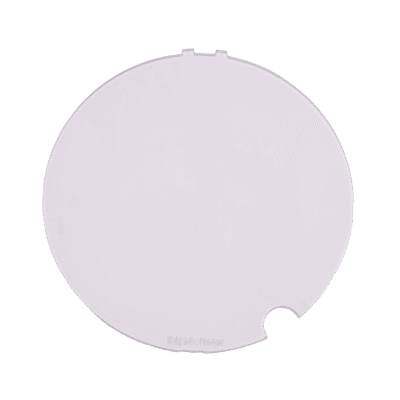
The standard beam can be altered with the optional EdgeSoftener and elliptical filter. Check accessory seating and the barndoor SafetyLink. IP65 applies to the prescribed wired or unwired assembly; exposed distribution equipment and unsealed connectors require separate attention.
Alternatives and related fixtures
| Fixture | When to compare it |
|---|---|
| Astera QuikSpot | Less weight and a smaller package when its output is sufficient. |
| Astera LeoFresnel | A larger Fresnel when the scene needs a different output class. |
| Astera QuikBeam | A much smaller spotlight with removable batteries and PoE. |
What people are saying
Canadian Stage production report
Technical director Brayden Crawford describes the beam shaping, colour mixing and handling of QuikPunch and QuikSpot on the outdoor Twelfth Night production. The report documents a specific stage application rather than a controlled photometric test. Read the full account.
Videos
Astera: QuikPunch product walkthrough
Astera: QuikPunch introduction
Rental and used-fixture checks
Include the yoke, barndoors, correct power leads, required filters and the actual charging arrangement in the order. Inspect the yoke release, tilt lock, lens, power connectors and barndoor retention.
Test a sustained cue on battery at the selected runtime and OutputGain setting. Repeat it with the console and actual data path. A recent charge indicator alone does not establish useful battery capacity on an older rental unit.
Documentation and specifications
Official product overview · Technical specifications · User manual · Data sheet · DMX profiles · All downloads
Browse Astera lights · all equipment.