
Last Updated 1 hour ago
Overview
Legacy model.
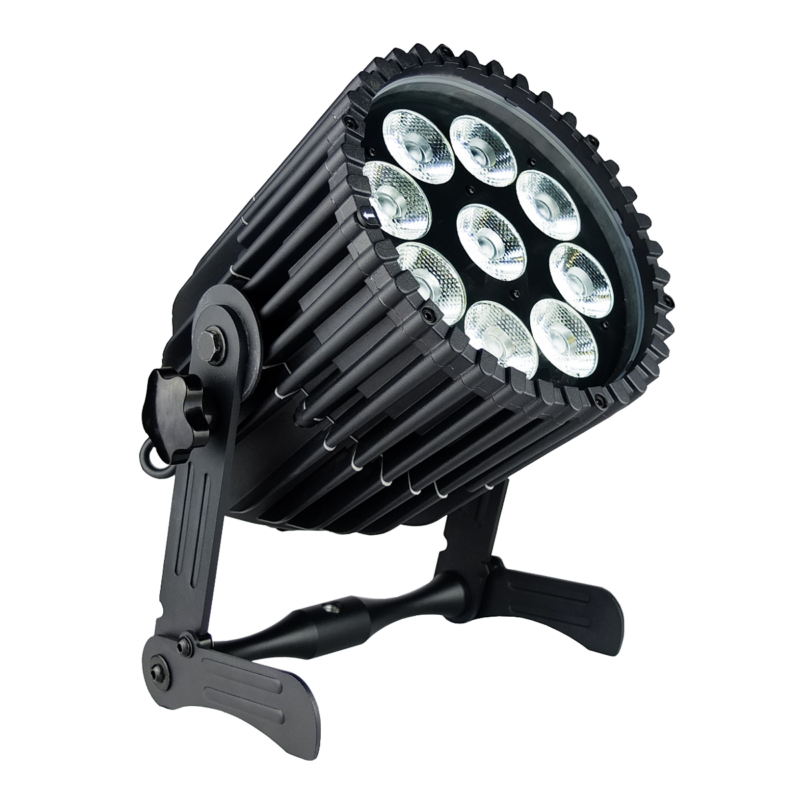
The Astera AX10 SpotMax is a legacy battery-powered RGBAW PAR with a native 13° beam, wireless control and an IP65 housing. It remains relevant when identifying an existing rental package or assessing a used fixture.
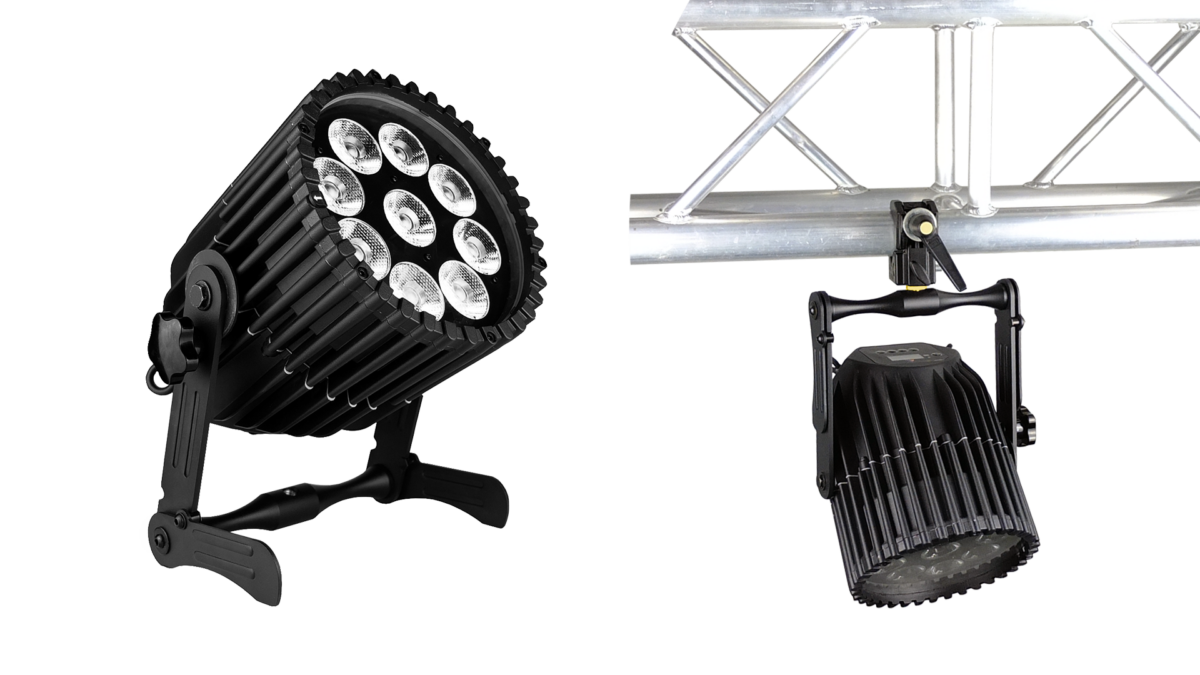
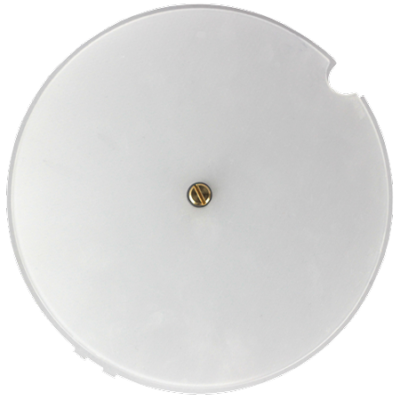
Images: Astera. Select an image to enlarge; swipe the gallery on smaller screens.
Astera identifies AX10 as a legacy product. Its 135W RGBAW emitter system belongs to an earlier generation than the Titan-engine AX9 and QuikFamily. The name, controller compatibility and similar accessories should not be taken as evidence that their white light or battery condition will match.
Key specifications
| Specification | Details |
|---|---|
| Order Code | AX10 |
| LED Engine | RGBAW |
| Colors | RGBAW |
| LED emitter rating | 135 W; separate from complete supply consumption |
| Beam Angle | 13° |
| Pixels | 1 |
| Battery Runtime | up to 20 hours |
| Charging Time (nominal) | 7 hours |
| AC Input | 90-264 VAC; 47/63 Hz 2 A/ 115 VAC ~ 1.0 A/ 230 VAC |
| DC Input | No |
| AC Connector | PowerCON TRUE1 IN/OUT |
| Wired DMX | No |
| CRMX Receiver | Built-in |
| IP Rating | IP65 |
| Ambient Operating Temperature | 0 – 40 °C / 32 – 104 °F |
| Weight | 7.98 kg /17.5 lbs |
Strengths and limitations
Strengths
- Battery operation and wireless control allow temporary placement without a cable at every head.
- A conventional bracket, foldable feet and beam filters support floor or raised use.
- Existing inventory can remain useful for background colour and event accents when its batteries and hardware are sound.
Limitations
- This is a legacy model with an older light engine and potentially aged batteries.
- Fixed native optics need the correct filters to change spread.
- Current BTB, PrepBox and Titan features must not be assumed from a general Astera listing.
Practical uses
| Setup | Working approach |
|---|---|
| Existing venue package | Identify the exact model and test every unit before building a plot around the available quantity. |
| Background colour | Keep matching older fixtures in their own group and judge the chosen colour through the camera. |
| Short temporary accent | Measure battery endurance using the intended cue. Keep a realistic charging or replacement plan when service history is unknown. |
Output and colour
Astera’s published reference is 3,350 lumens at 4,000K and 10,350 lux at 2m. The 135W figure is the total LED emitter rating, not a verified complete mains draw. The native beam is 13°; fitting a flood or elliptical filter changes the distribution.
Evaluate white light, saturated colours and low-level fades on the actual used unit. Differences between emitters or between heads may matter more than an old catalogue number. A newer Titan fixture is a separate colour system even when both lamps accept the same console protocol.
| Manufacturer reference | Published output |
|---|---|
| Manufacturer reference, native optics, 2m | 10,350 lux at 4,000K |
| Published luminous flux | 3,350 lm at 4,000K |
Power and batteries
The internal battery supports the Astera managed-runtime system, with a maximum advertised duration of 20 hours at reduced output. Nominal charging is seven hours. A legacy battery’s useful capacity must be measured; the original runtime specification does not establish present condition.
The published AC range is 90–264V. Inspect the actual inlet, through connector, mains cable and nameplate before planning a wired run. Charging several older fixtures at once still requires suitable distribution and a known circuit load.
Control and camera operation
Astera’s documentation describes CRMX/UHF wireless operation, infrared control and app control through the supported external bridge system. Do not assume a built-in Bluetooth Bridge on these legacy units.
The AX10 specification lists no wired DMX input; identify connectors on the actual model rather than inferring a data path from its AC through socket.
Confirm firmware compatibility, address, runtime, fade behaviour and any signal-loss look during prep. Test the actual camera frame rate and shutter when the light is used in a photographed scene.
Modifiers, mounting and the working package
Inspect the bracket, foldable legs, threaded mounting points and safety eyelet for wear or deformation. The complete lamp weighs approximately 7.98kg, before additional grip hardware.
The 32° flood and 17 × 46° elliptical accessories are shared across specified AX7/AX10 applications. Check the precise filter and retaining mechanism. Keep connectors and seals in the prescribed IP65 arrangement; damaged covers on a used unit undermine that protection.
Alternatives and related fixtures
| Fixture | When to compare it |
|---|---|
| Astera AX9 PowerPAR | A later fixed-optics PAR with the Titan engine. |
| Astera AX5 TriplePAR | A smaller older-generation PAR when that output class is sufficient. |
| Astera QuikPunch | A current zoomable spotlight with a different control and charging package. |
Reports and demonstrations
Kaiser Showtechnik: Schleissheim Palace installation
The 2015 palace-lighting demonstration combined AX3, AX7 and AX10 fixtures across the building and grounds. The production account describes AX7 units as uplights and AX10 units as floodlights. It is a historical application example, not a test of the remaining capacity of a used battery. Read the full account.
Videos
Astera: Pioneer of Light — AX-series demonstration
Rental and used-fixture checks
Ask for the battery/service history and a complete test of every emitter, charger connection and control path. Inspect the lens, filters, bracket locks, mains connectors and seals before using the fixture in a raised or exterior position.
A used listing should identify the exact model, supplied filters, charging equipment and missing parts. Budget for battery service and verify parts availability before treating a low purchase price as a complete working package.
Documentation and specifications
Official product overview · Technical specifications · User manual · Data sheet · DMX profiles · All downloads
Browse Astera lights · all equipment.