
Last Updated 1 hour ago
Overview
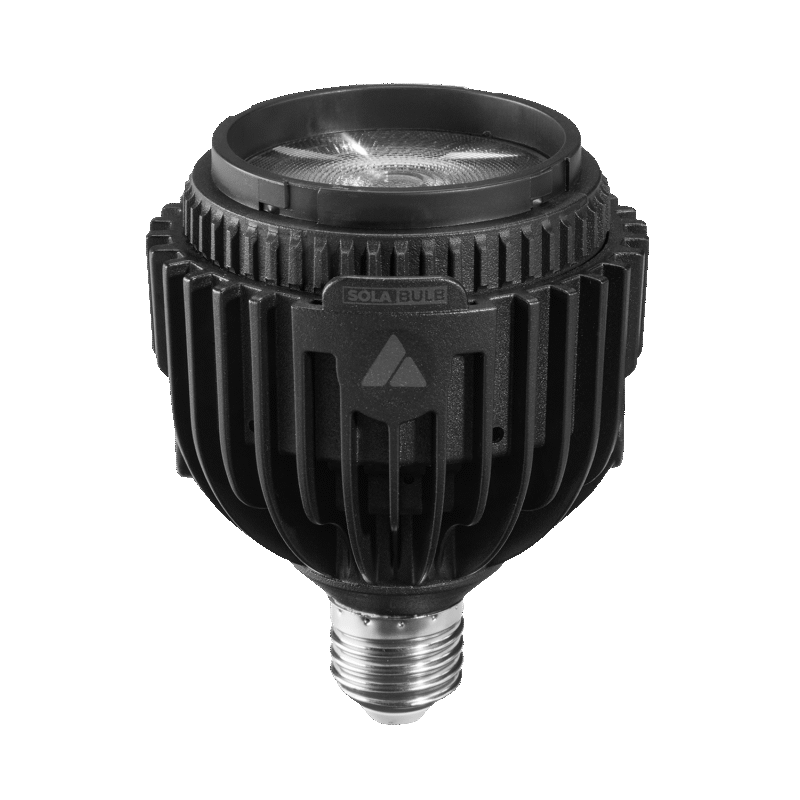
The Astera SolaBulb is a zoomable RGBMintAmber LED bulb with a 15–50° Fresnel beam. It fits a compatible E26, E27 or B22 socket, while a separate DC input and threaded mounting points also allow it to work as a small hidden spotlight.
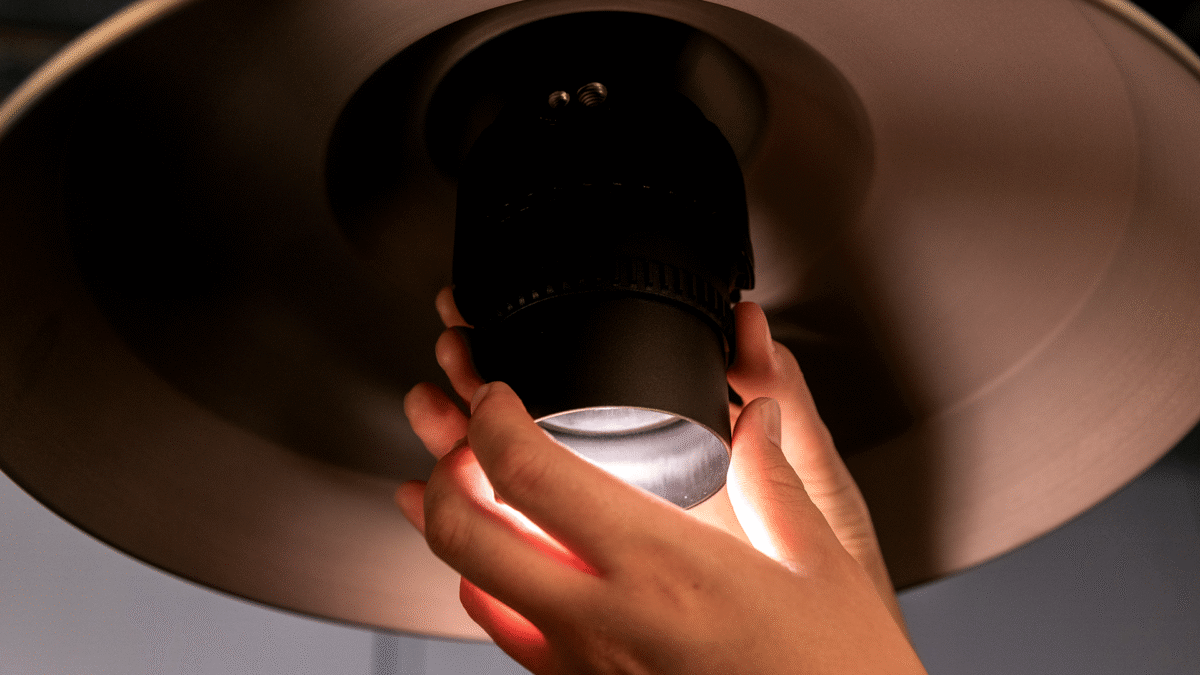
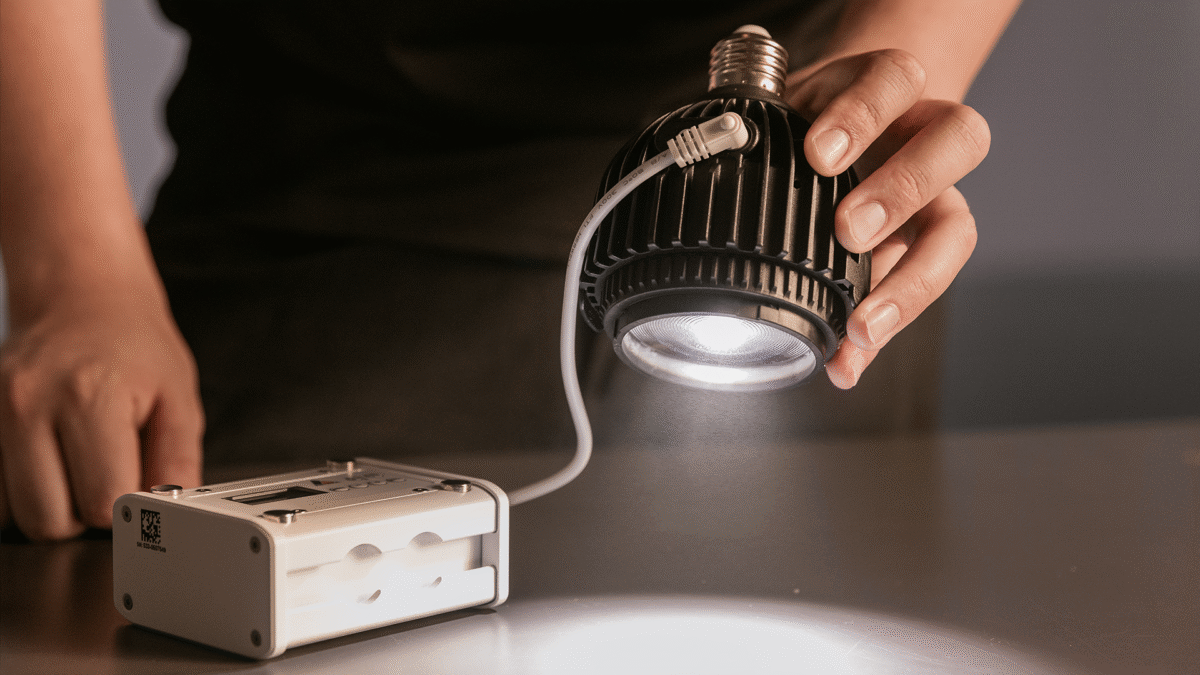
Images: Astera. Select an image to enlarge; swipe the gallery on smaller screens.
Unlike the broad glow of a conventional frosted practical, SolaBulb creates a directional pool. Its 15W LED draw and manual zoom suit downlights, set dressing, table accents and small product highlights. It has no built-in battery; portable operation requires an external supply such as the compatible PowerStation.
Key specifications
| Specification | Details |
|---|---|
| Order Codes | AST-BLBSL-E27 AST-BLBSL-E26 AST-BLBSL-B22 |
| LED Engine | Titan LED Engine |
| Colors | RGBMintAmber |
| LED Power Draw | 15 W |
| Beam Angle | 15° – 50° |
| Field Angle | 23° – 73° |
| DC Input | 9 – 18 VDC – 2.1A |
| AC Connector | E26 / E27 / B22 |
| Power Consumption (max.) | 16.5 W |
| CRMX Receiver | Built-in |
| BluetoothBridge BTB | Built-in |
| IP Rating unwired | IP20: connected via DC socket IP44: connected via AC + FP5-SP in DC socket |
| Ambient Operating Temperature | 0 – 40 °C / 32 – 104 °F |
| Weight | 433 g / 0.955 lbs |
Strengths and limitations
Strengths
- A mechanical zoom changes the beam without swapping lenses or filters.
- Socket power, external DC and housing threads provide several ways to place the same source.
- Built-in CRMX and Bluetooth Bridge allow remote colour and intensity control; operation is fan-free.
Limitations
- The E26 version is rated for 100–120V; the E27 and B22 versions cover 100–240V.
- Its directional output does not reproduce the surrounding glow of a frosted household bulb.
- IP44 requires the specified AC/socket arrangement and the DC protection cover; DC operation is listed as IP20.
Practical uses
| Setup | Working approach |
|---|---|
| Practical downlight | Use the zoom to place a pool on a table or floor. Check the actual shade opening and lens glare from each camera position. |
| Hidden backlight | Mount through a compatible threaded adapter and power from the supported DC supply. Keep the cable and lamp clear of the shot and secure both independently. |
| Product or display accent | Spot the detail, then open the beam until coverage is even. Fit SolaSnoot when lens visibility or unwanted flare is the main problem. |
Output and colour
At 5,500K and 1m, Astera publishes 5,228 lux at 15°, 1,652 lux at 30° and 615 lux at 50°. Those are different coverage settings of the same lamp, not three power ratings. A high spot reading does not establish how much useful light remains after broadening or bouncing it.
The Titan RGBMintAmber engine provides adjustable white and full colour. Astera gives CRI/TLCI of at least 96 over 3,200–6,500K. The lens remains a small source, so soft light requires a bounce or diffusion surface large enough to become the apparent source.
| Manufacturer reference | Published output |
|---|---|
| 5,500K, 15°, 1m | 5,228 lux |
| 5,500K, 30°, 1m | 1,652 lux |
| 5,500K, 50°, 1m | 615 lux |
Power and batteries
Maximum consumption is 16.5W. Select the socket version by its marked input voltage: an E26 base does not imply a universal-voltage lamp. Use a constant, suitable supply and change intensity through the lamp’s control system; do not assume compatibility with an existing household dimmer.
The DC input is 9–18V through the specified 3.5 × 1.35mm connection. PowerStation is an external battery and programming accessory, not an internal part of the bulb. Check the chosen DC cable, polarity and supply rating, and secure the external battery as part of the rig.
Control and camera operation
CRMX provides wireless DMX/RDM. AsteraApp operates through the supported Bluetooth Bridge system, and infrared remotes offer basic access. The ON/OFF button also supports the documented pairing and preset operations.
Prepare addresses and colour settings before installing the lamp in a difficult socket. Test the practical at its actual low level, with the intended camera shutter and any dimming cue. An attractive white setting at full output does not establish the appearance of a nearly extinguished practical.
Modifiers, mounting and the working package
The housing has 1/4-inch and 3/8-inch threads as well as its lamp base. The bulb weighs approximately 433g, and its barrel extends as the zoom opens; allow room inside shades and housings throughout that travel.
SolaSnoot attaches to the front to shield direct lens visibility. It is a glare-control accessory, not a larger soft source. Astera lists IP44 only for the stated AC arrangement with FP5-SP closing the DC port; the socket and surrounding fixture must also be appropriate.
Alternatives and related fixtures
| Fixture | When to compare it |
|---|---|
| Astera NYX Bulb | A broader practical when room glow and a conventional bulb shape matter. |
| Astera LunaBulb | A smaller, lighter traditional-looking bulb for visible practicals. |
| Astera QuikBeam | An independent spotlight with a yoke, removable battery and PoE. |
What people are saying
Astera-published operator demonstrations
Astera’s SolaBulb page includes demonstrations by David Smith, Peter Clausen and Uwe Greiner. They are useful for seeing the beam and handling; the material is hosted by the manufacturer rather than an independent laboratory. Read the full account.
Videos
Astera: SolaBulb product walkthrough
Astera: SolaBulb introduction
Rental and used-fixture checks
Confirm the correct base and voltage before the order reaches set. Check for socket damage, a smooth zoom action, the DC-port cover and any required SolaSnoot, PowerStation or mounting pin.
Try the actual shade, practical housing or track socket before filming. Confirm remote control after installation and keep access to the supply. Store the look and verify that it returns correctly after power is interrupted.
Documentation and specifications
Official product overview · Technical specifications · User manual · Data sheet · DMX profiles · All downloads
Browse Astera lights · all equipment.