
Last Updated 1 hour ago
Overview
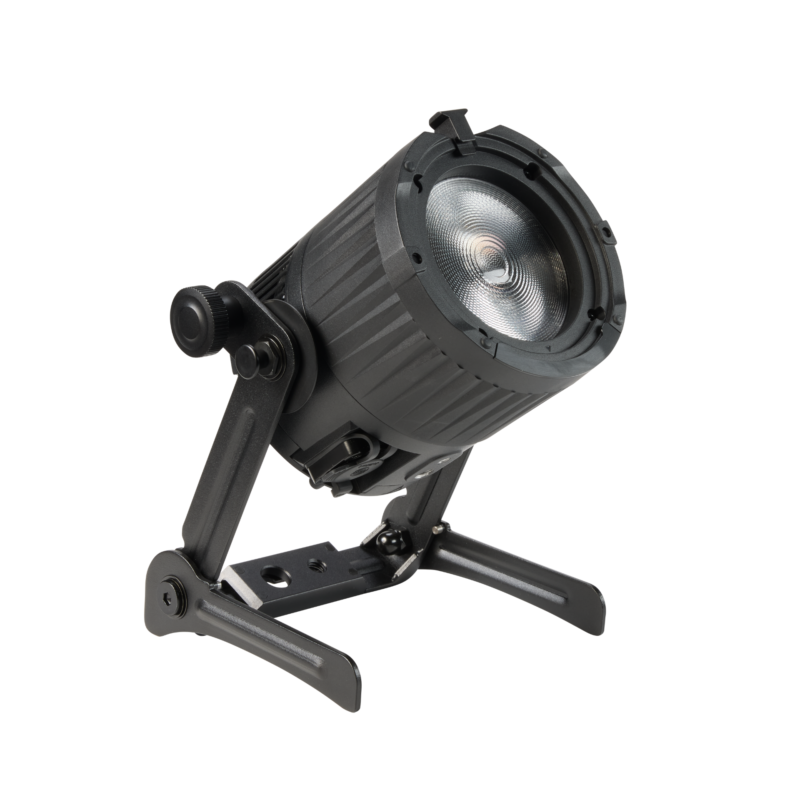
The Astera QuikBeam is a compact RGBMintAmber spotlight with a manually adjustable Fresnel beam, a removable QuikBrick battery and Power over Ethernet. Its 20W LED draw and small housing suit hidden accents, nearby bounce, documentary interviews and event uplighting where a conventional head and controller would take up too much space.
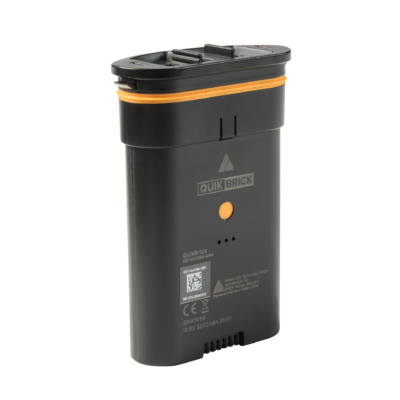
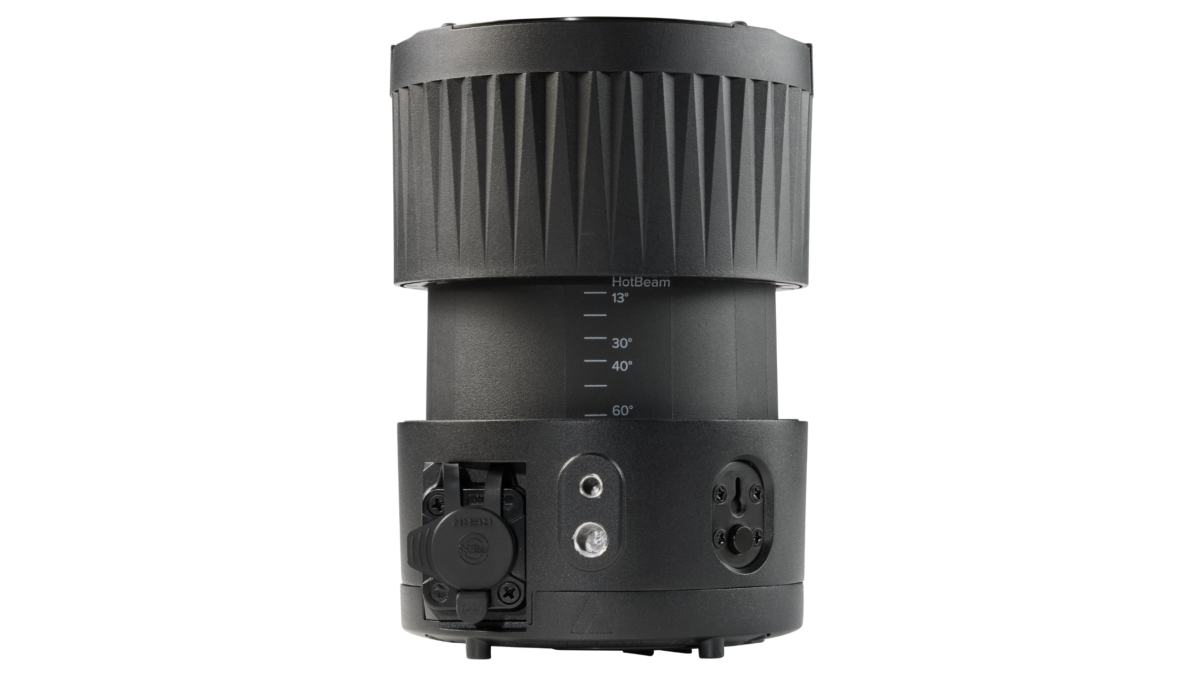
Images: Astera. Select an image to enlarge; swipe the gallery on smaller screens.
QuikBeam is the smallest member of the QuikFamily. Its main distinction is the choice between a swappable battery and PoE operation; QuikSpot and QuikPunch use different power arrangements. A QuikBeam ordered without its battery is a separate package, so the fixture name alone does not establish what is supplied.
Key specifications
| Specification | Details |
|---|---|
| Order Codes | AST-QUKBM-STD |
| LED Engine | Titan LED Engine |
| Colors | RGBMintAmber |
| LED Power Draw | 20 W |
| Beam Angle | 12.6° – 58.5° |
| Field Angle | 16.9° – 78.2° |
| Battery Runtime | up to 20 hours |
| Battery Runtime (max. Brightness) | 1 h 20 m |
| Charging Time (nominal) | 2 h 40 m |
| DC Input | PoE++ |
| Power Consumption (max.) | 40 W |
| CRMX Receiver | Built-in |
| BluetoothBridge BTB | Built-in |
| ArtNet/sACN | via Ethernet |
| IP Rating unwired | IP65 |
| IP Rating wired | IP65 |
| Ambient Operating Temperature | 0 – 40 °C / 32 – 104 °F |
| Weight | 1617 g / 3.56 lbs |
Strengths and limitations
Strengths
- A removable battery allows a depleted pack to be exchanged instead of taking the whole lamp out of service.
- Manual zoom, barndoors and small mounting hardware help place a controlled accent close to the subject.
- PoE carries network control and power over one cable; CRMX remains available for wireless console operation.
Limitations
- Maximum-brightness battery operation is short compared with an all-day shoot; the 20-hour setting reduces output.
- A 20W source has limited reserves through large diffusion, at long distances or against bright daylight.
- The battery, NetBox, injector, barndoors and mounting adapters depend on the selected kit.
Practical uses
| Setup | Working approach |
|---|---|
| Documentary interview | Hide a lamp behind furniture for an edge or bounce it into a nearby neutral surface. Position first, then set the level through the camera. |
| Background pool | Spot a shelf, doorway or set detail and trim the spill. Keep the beam off reflective objects that reveal the lamp. |
| Networked installation | Use a properly specified PoE supply for repeated positions. Label each network address and test the complete cable route before access becomes difficult. |
Output and colour
The V2 data sheet gives 2,294 lux at 3m and 5,500K at approximately 13° spot. That is a concentrated-beam reading; opening to flood changes the coverage and centre intensity. The manufacturer’s tungsten-equivalence claim describes a comparison, not electrical consumption.
OutputGain is intended to favour brightness for event use. Astera states its colour-rendering figures with OutputGain disabled. For photographed skin, product colours and mixed white sources, establish that setting before matching the lamps. HotBeam is a separate narrow-beam option and should be metered in the actual setup.
| Manufacturer reference | Published output |
|---|---|
| 3,200K, 13° spot, 3m | 2,174 lux |
| 4,000K, 13° spot, 3m | 2,257 lux |
| 5,500K, 13° spot, 3m | 2,294 lux |
Power and batteries
QuikBrick is removable and can be charged through the supported USB-C, ChargingDock or fixture/PoE arrangement. The lamp has no ordinary XLR power input; its Ethernet power path requires a compatible PoE supply, not a passive network connection.
Astera’s web specification lists 1h 20m at maximum brightness, while the V2 data sheet lists 1h 30m. Allow for the shorter reference and confirm the actual unit at prep. Nominal charging is 2h 40m. A 20-hour managed runtime trades brightness for duration.
The published maximum consumption is 40W, separate from the 20W LED draw. Size a PoE switch for the required per-port standard and the combined power budget. Astera also offers the optional PowerFlow AC module; order it explicitly when that is the intended supply.
Control and camera operation
CRMX handles wireless DMX reception. AsteraApp uses the supported Bluetooth Bridge/UHF system, while the RJ45 connection supports Art-Net and sACN. These are different control paths; selecting one does not automatically configure the others.
Record the universe, address, personality, runtime and OutputGain state. Test a slow fade and the intended frame rate and shutter together, especially when the lamp or a reflection is visible in shot.
Modifiers, mounting and the working package
The removable yoke includes AirlineTrack and threaded mounting options. The housing also has 1/4-inch and 3/8-inch mounting threads. Choose the actual pin, clamp and secondary restraint for the position rather than treating the yoke as a complete grip package.
Optional eight-leaf barndoors, an EdgeSoftener and an elliptical filter change spill and edge character. Check the accessory lock and SafetyLink where fitted. IP65 applies to the prescribed assembled configuration, including the battery/cover and protected connections; the mains or network supply still needs its own suitable protection.
Alternatives and related fixtures
| Fixture | When to compare it |
|---|---|
| Astera QuikSpot | A larger internal-battery spotlight when a longer maximum-output runtime matters. |
| Astera PlutoFresnel | A larger Fresnel package for a different output and handling requirement. |
| Astera HydraPanel | A compact panel when a broad emitting surface is more useful than a focused beam. |
What people are saying
Tim Cragg, Definition
Cragg values the compact four-head package, rapid placement and removable batteries for documentary work. He finds the small display harder to read and makes clear that the fixture does not have the output reserves of a large LED Fresnel. Read the full account.
Videos
Astera: QuikBeam product walkthrough
Astera: QuikBeam introduction
Rental and used-fixture checks
Confirm whether the order includes QuikBricks, a charger or dock, barndoors and the chosen PoE or AC supply. Check every battery latch, connector seal, yoke lock and accessory retention point.
Run the intended cue on battery, exchange a pack and repeat it on the wired supply. Confirm the network patch and charging behaviour with all lamps connected; a successful single-lamp test does not establish the switch’s total capacity.
Documentation and specifications
Official product overview · Technical specifications · User manual · Data sheet · DMX profiles · All downloads
Browse Astera lights · all equipment.