
Last Updated 25 minutes ago
Cineo Maverick Overview
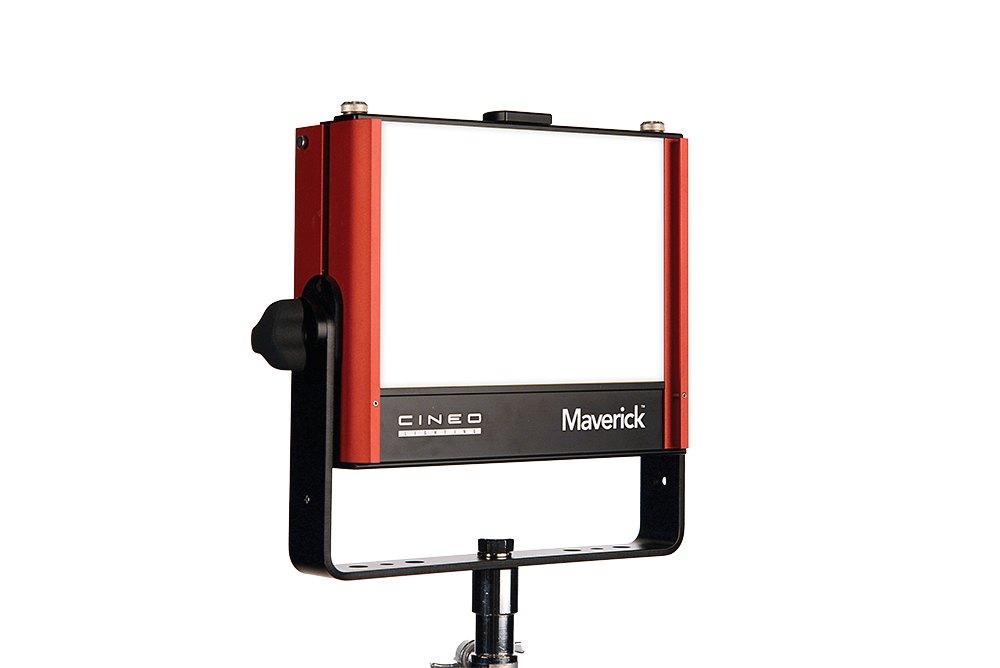
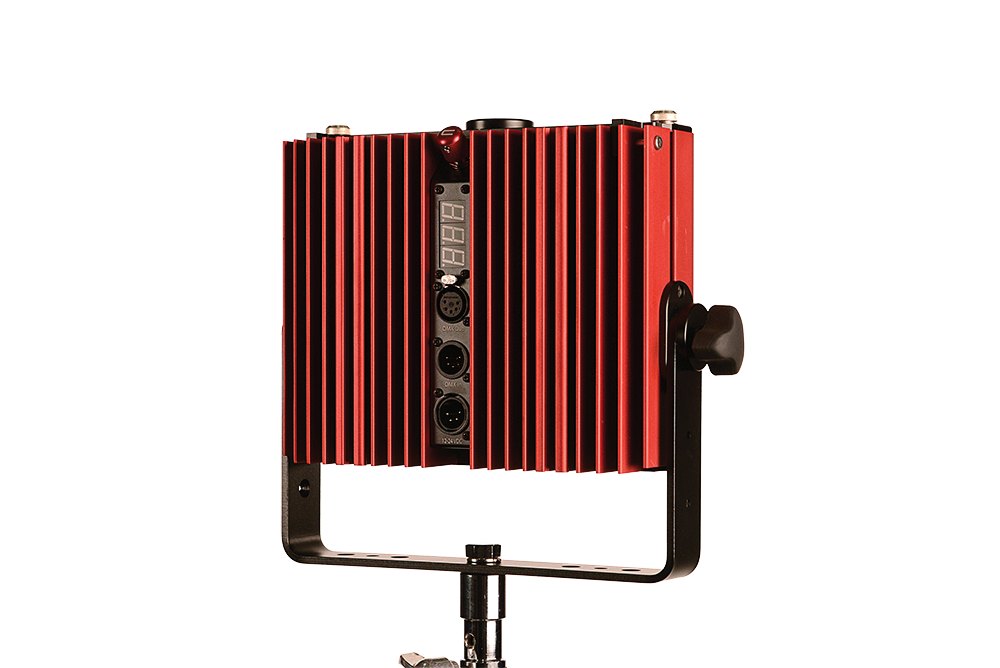
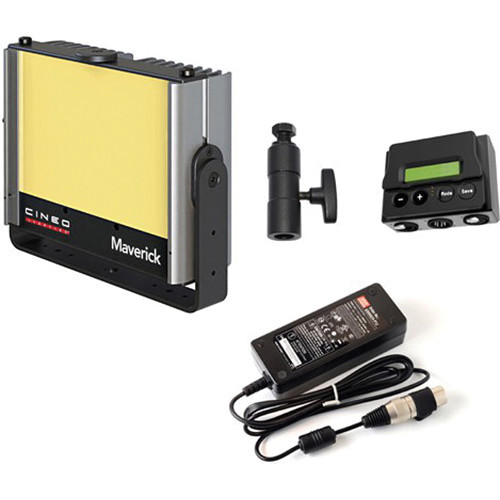
On the original Maverick, swap the removable phosphor panel to change colour temperature. Its passive cooling is useful for close interviews.
Order the original Maverick by name since the MavX offers electronic colour tuning.
- Remote-Phosphor LED Interchangeable panels.
- 75 / 120 / 135 W Selectable power.
- Colour Temperature2,700, 3,200, 4,300, 5,600 or 6,500 K Change the phosphor panel to change colour temperature.
- Weight2.2 kg head
- Beam Angle160° published spread; not a 50% beam angle
- IP RatingNot specified Cineo describes the fixture as weather-resistant but does not give an IP code. Read the IP Rating.
Cineo Maverick Specifications
| Specification | Details |
|---|---|
| Manufacturer and model | Cineo Maverick |
| Source or rated power | Remote-phosphor LED softlight |
| Optics, colour or format | 75, 120 or 135 W selectable |
| Head or system detail | 10.5 to 28 V DC, 2.2 kg head |
Cineo gives one metric reference distance per panel (3 m); the calculator does not estimate other distances.
Output Calculator
Select the published setup and a manufacturer distance, or enter a custom throw where supported. The results describe centre-beam output, not the brightness across the whole beam.
Camera Settings
If the calculator does not load, use the published photometric table or source on this page. JavaScript is required.
F-stop is a planning estimate, not a meter reading. It uses direct, on-axis illuminance and includes only the optics and diffusion named in the selected setup. Meter on set to account for lens transmission, filters, added diffusion, bounce, dimming and ambient light.
How the exposure estimate works
N = √(E × ISO × t / C), where E is illuminance in lux and t = shutter angle ÷ (360 × fps). The default C = 340 is a dome reference; C = 250 is a flat reference. These are calibration constants, not a measured T-stop. A small nonzero digit is tenths of a stop above the displayed full stop.
Distance estimates and comparisons
Published points are used as given. Between published points the calculator fits a curve through the two nearest readings. Outside those points it uses the inverse-square law only when the fixture’s dataset permits it. Distances outside a configuration’s supported range are reported separately. Comparisons use one shared distance and camera setup; equal lux does not imply equal coverage.
View published readings for the selected configuration
Strengths and Limitations
- Passive cooling works well when the key sits close to dialogue.
- The original Maverick has no dial for colour temperature; change the phosphor panel instead.
Practical Uses
Use the selected panel to match the room before dimming. Switching from tungsten to daylight mid-setup means handling a physical panel.
Output and Colour
Cineo’s August 2019 sheet lists five phosphor-panel configurations. Its metric readings are measured at 3 m; the selected power setting is not specified. The calculator uses only those metric readings.
| Phosphor Panel | Lux at 3 m | Foot-Candles at 10 ft |
|---|---|---|
| 2,700 K | 324 | 22 |
| 3,200 K | 346 | 30 |
| 4,300 K | 367 | 35 |
| 5,600 K | 378 | 28 |
| 6,500 K | 356 | 27 |
The manufacturer’s imperial and metric columns use different distances (10 ft versus 3 m) and show different output rankings across the panels. They should not be treated as equivalent conversions or combined into a distance curve. The calculator retains the published 3 m metric reference for each panel; no power-specific output curve is implied.
Photometric source and test conditions.
Power and Controls
Maverick’s DC input accepts 10.5 to 28 V through a 4-pin XLR connector. Local dimming is built in; DMX control requires the optional 900.0087 interface module, connected to the fixture’s AUX port. SmartPower settings are configured internally, rather than selected with the dimming knob. The 135 W high-voltage mode requires a power source rated for at least 150 W; the 120 W low-voltage mode requires batteries capable of at least 120 W output. See the Cineo Maverick user guide, revision 1.1, pages 6–7 for the applicable power configuration.
Control, Cooling and Camera Operation
For local control, use the head’s rotary dimmer. Cineo’s 2014 Maverick guide shows the optional DMX module connected to the head’s RJ45 AUX port, with 5-pin DMX in and through on the module. The 2016 Maverick guide describes built-in DMX instead. Confirm the actual control ports and accessories on the rental unit. To change the light’s colour temperature, fit a different phosphor panel.
Modifiers, Rigging and the Working Package
Check the colour temperature marked on the installed phosphor panel. Test any used panel with the same lamp and exposure before pairing it with another.
Alternatives and Related Fixtures
For a smaller phosphor-panel fill from the same brand, see the Cineo Matchbox.
For another remote-phosphor softlight, see ARRI SkyPanel S30-RP.
What People Are Saying
Field Feedback at a Glance
What worked
- No visible flicker in the reviewer’s interview setup. RedShark’s interview shoot.
- The housing stayed cool through three hours of continuous use. RedShark’s interview shoot.
- The tungsten panel looked close to the intended colour temperature and rendered colours well in the side-by-side test. No Film School’s 28-light shootout.
Drawbacks to plan for
- The daylight sample in the shootout looked warmer than expected. The tester liked the corrected image more. No Film School’s 28-light shootout.
- Changing colour temperature meant swapping the front phosphor panel rather than turning a dial. No Film School’s 28-light shootout.
- As a bare interview key, the Maverick looked less soft than the fluorescent sources the reviewer was used to. He wanted that firmer look for this particular shot. RedShark’s interview shoot.
Videos
Newsshooter’s 2014 NAB interview shows the original Maverick alongside the Matchstix. It is a trade-show first look, not a measured output test or a Matchbox demonstration.
Rental and Used-Fixture Checks
Before You Book
Count the phosphor panels and check them for scratches or discolouration. Test the head on the intended DC supply at the selected power setting.