
Last Updated 12 hours ago
MIMIK 120 Overview
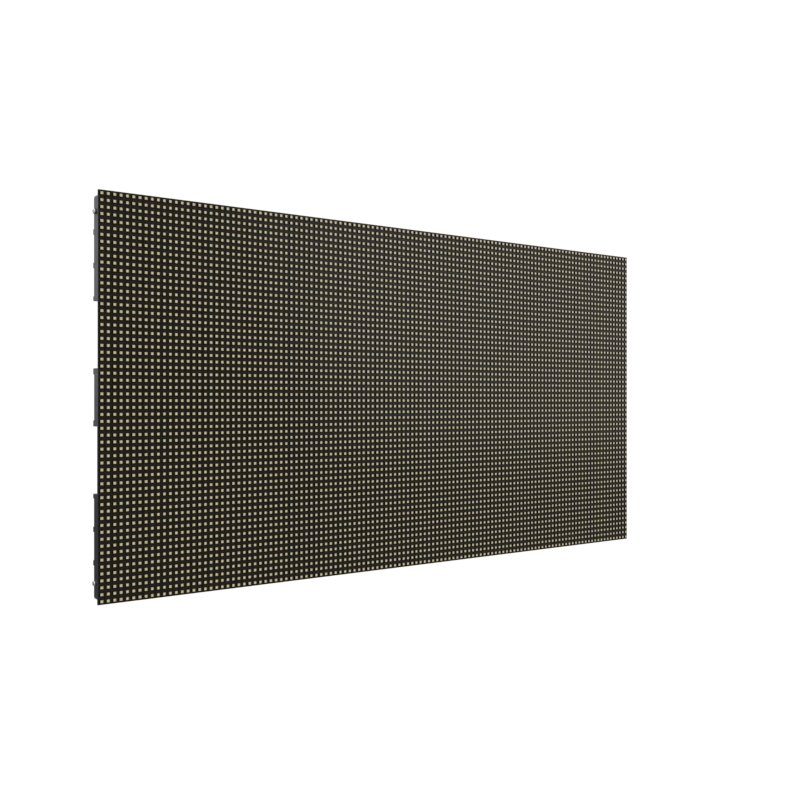
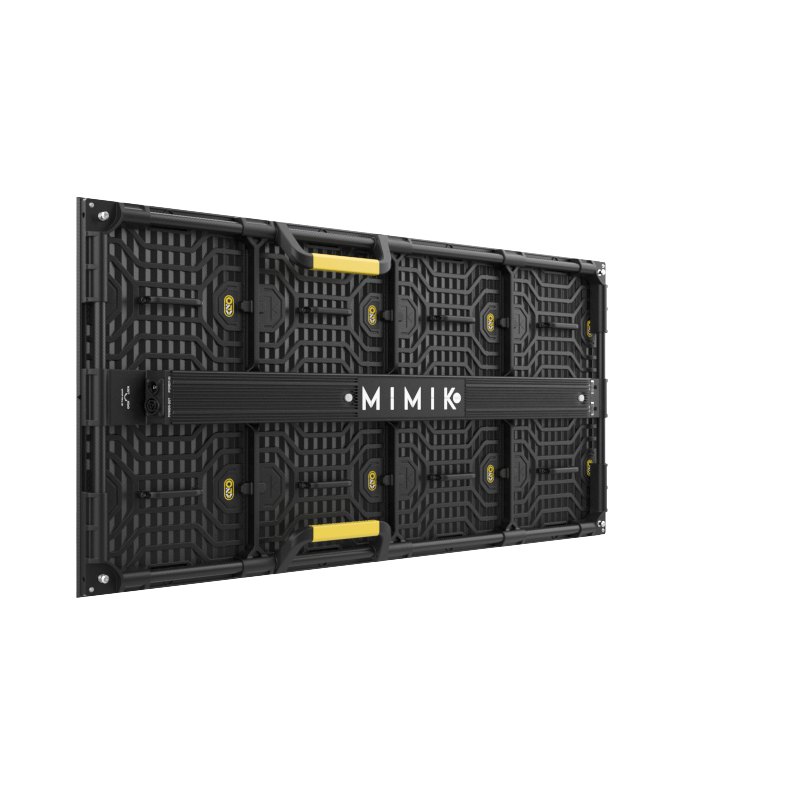


The MIMIK 120 turns video content into light falling on talent and reflective objects. Each pixel includes red, green, blue and two white emitters. It belongs in a virtual-production signal chain with the Megapixel HELIOS processor.
Use it for motivated foreground light and moving reflections that need to follow a plate or LED volume. The calculator gives a repeatable starting point for one tile under Kino Flo’s D65 test, not a prediction for an arbitrary clip.
- RGB and Two White Emitters 120 × 60 pixels at 10 mm pitch.
- 400 W Maximum About 200 W average; load varies with video content. 100–240 V AC.
- Colour Temperature2,700 K / 6,500 K warm-white and cool-white emitters alongside RGB. D65 is the photometric test condition, not a selectable CCT range.
- Weight12.5 kg / 27.6 lb per tile before rigging hardware.
- Viewing Angle 140° horizontal and vertical. This is a viewing angle, not a conventional beam-angle measurement.
- IP RatingIP20 Indoor only; no water protection. Read the IP Rating.
MIMIK 120 Specifications
| Specification | Details |
|---|---|
| Manufacturer and model | Kino Flo MIMIK 120 |
| Source or rated power | Image-based video lighting tile |
| Optics, colour or format | 120 × 60 pixels, 10 mm pitch |
| Head or system detail | 400 W maximum, 12.5 kg tile |
The readings below apply to one MIMIK 120 tile in Kino Flo’s D65 test at 0.5–6 m. The calculator interpolates between, not beyond, those distances and converts the metric readings to foot-candles. It does not predict output from video content, other colour settings or multiple tiles.
Output Calculator
Select the published setup and a manufacturer distance, or enter a custom throw where supported. The results describe centre-beam output, not the brightness across the whole beam.
Camera Settings
If the calculator does not load, use the published photometric table or source on this page. JavaScript is required.
F-stop is a planning estimate, not a meter reading. It uses direct, on-axis illuminance and includes only the optics and diffusion named in the selected setup. Meter on set to account for lens transmission, filters, added diffusion, bounce, dimming and ambient light.
How the exposure estimate works
N = √(E × ISO × t / C), where E is illuminance in lux and t = shutter angle ÷ (360 × fps). The default C = 340 is a dome reference; C = 250 is a flat reference. These are calibration constants, not a measured T-stop. A small nonzero digit is tenths of a stop above the displayed full stop.
Distance estimates and comparisons
Published points are used as given. Between published points the calculator fits a curve through the two nearest readings. Outside those points it uses the inverse-square law only when the fixture’s dataset permits it. Distances outside a configuration’s supported range are reported separately. Comparisons use one shared distance and camera setup; equal lux does not imply equal coverage.
View published readings for the selected configuration
Model and Family Fit
The MIMIK 120 is a video-mapped light, not a conventional white-light panel or a photographed background tile. Select it when changing image content needs to drive foreground light and reflections.
Strengths and Limitations
- Per-pixel video can move coloured reflections in time with a plate.
- The processor, content and camera synchronisation are part of the lighting setup.
Practical Uses
For a driving plate, play passing storefronts into the tile beside the actor. Check the phase and movement against the camera image and judge skin tone on camera.
Output and Colour
Kino Flo rates the calibrated tile at approximately 10,000 nits. That measures the brightness of the emitting face. Lux at the actor depends on tile area, video content, angle and distance. For a repeatable camera test, start with a known full-field signal and meter at the actor’s mark, then run the actual plate.
Power and Batteries
The HELIOS processor handles the image-based workflow. The tile is rated about 200 W average and 400 W maximum, depending on displayed content.
Control, Cooling and Camera Operation
For image-based lighting, the tile requires the specified Megapixel HELIOS processor. Compare the source plate with reflections in a test object to check the tile’s orientation and cue timing; a static white test alone does not verify a moving cue.
Check mapping and synchronisation through the HELIOS path on the intended camera before committing to a shot. Include your actual plate and a reflective object in prep to catch direction errors.
Modifiers, Rigging and the Working Package
Each 10 mm pixel contains two white emitters and RGB. Keep the tile position and image mapping aligned with the plate or moving reflections appear to come from the wrong direction.
Choosing the Optic or Modifier
Aim and map the tiles together. Before adding tiles for more coverage, watch how the reflected image moves as the camera or subject changes position.
Alternatives and Related Fixtures
For a linear pixel fixture for moving reflections, see Quasar Science Double Rainbow RR100.
For a compact soft source that does not need a video processor, compare the Kino Flo FreeStyle 21.
What People Are Saying
Field Feedback at a Glance
What worked
- Skin tones and warm off-whites looked more natural in Kief’s side-by-side test than under conventional RGB display panels. Craig Kief, ASC, in American Cinematographer.
- For Project Chimera, Patel’s team moved an eight-tile wall to suit different shots and placed another eight tiles on separate mobile rigs. Snehal Patel, via Kino Flo.
- Rooney’s team used MIMIKs for foreground light alongside side walls, and he singled out genlock for keeping lighting changes timed to the photographed volume. J.T. Rooney, via Kino Flo.
Drawbacks to plan for
- The tile is designed to light the foreground from outside the frame, not to replace an LED background you photograph directly. Craig Kief, ASC, in American Cinematographer.
- Kief recommends keeping conventional cinema lights for shape, contrast and texture. Use the MIMIK for the ambient layer without expecting it to replace a directional key. Craig Kief, ASC, in American Cinematographer.
- Patel’s workflow required a HELIOS processor, Ethernet routing and content assigned to individual panels. Book and test the signal chain with the tiles. Snehal Patel, via Kino Flo.
Noah Kadner and Craig Kief, American Cinematographer
Kief’s comparison found that the MIMIK’s wider-spectrum lighting improved the rendering of skin and warmer off-white objects versus the conventional RGB panels in that test. The article treats the fixture as off-camera foreground lighting rather than a display for the photographed background.
Videos
MIMIK 120 Image-Based Lighting with Erik “Wolfie” Wolford
Kino Flo’s interview with the director of photography about the MIMIK 120 tile and its image-based foreground lighting.
Rental and Used-Fixture Checks
Book the processor, mapping and synchronisation path with the tile. Power varies with content. Its calibrated luminance in nits cannot establish illuminance at the subject.
Before You Book
Book the tile, processing, control and power package together. Check the working cue and power budget rather than assuming the average rating covers every image.