
Last Updated 1 day ago
Litepanels Astra Soft Bi-Color Overview
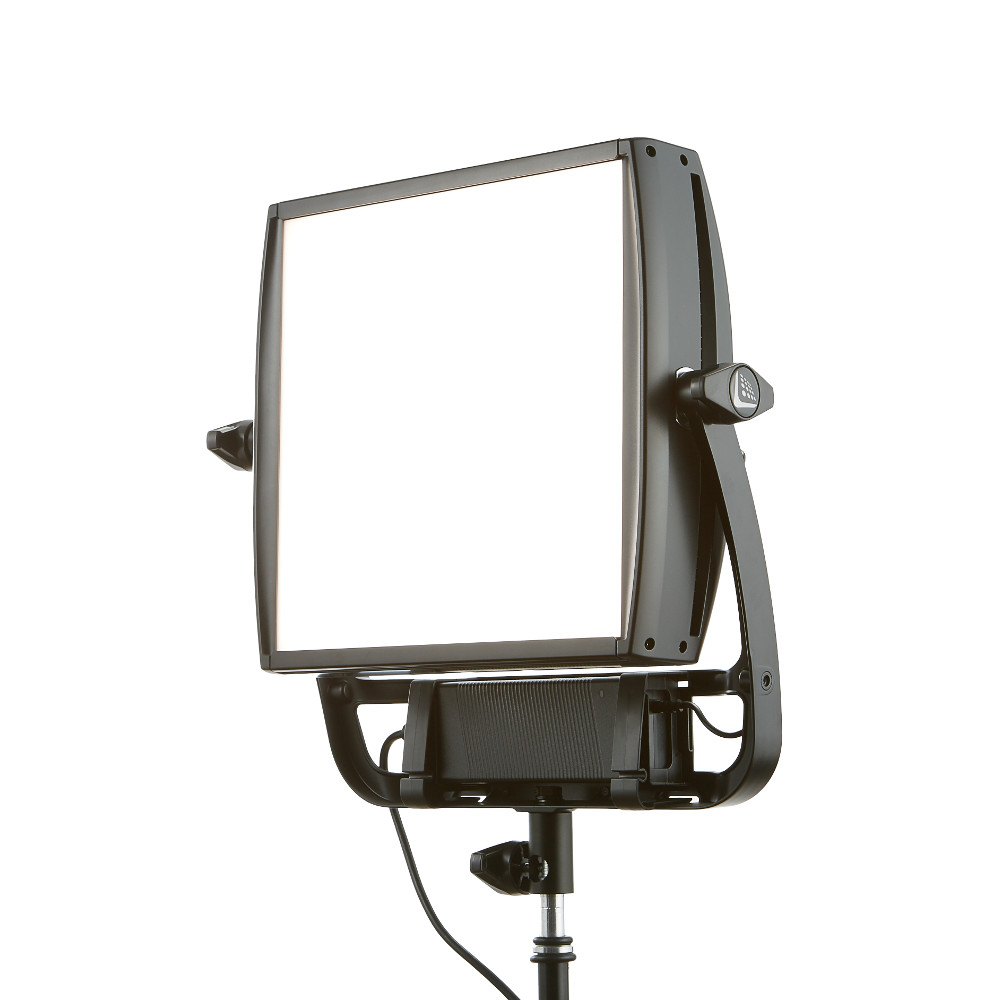
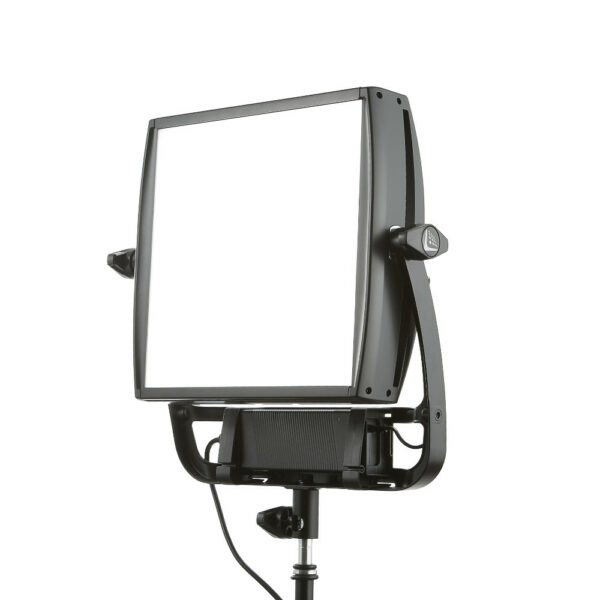
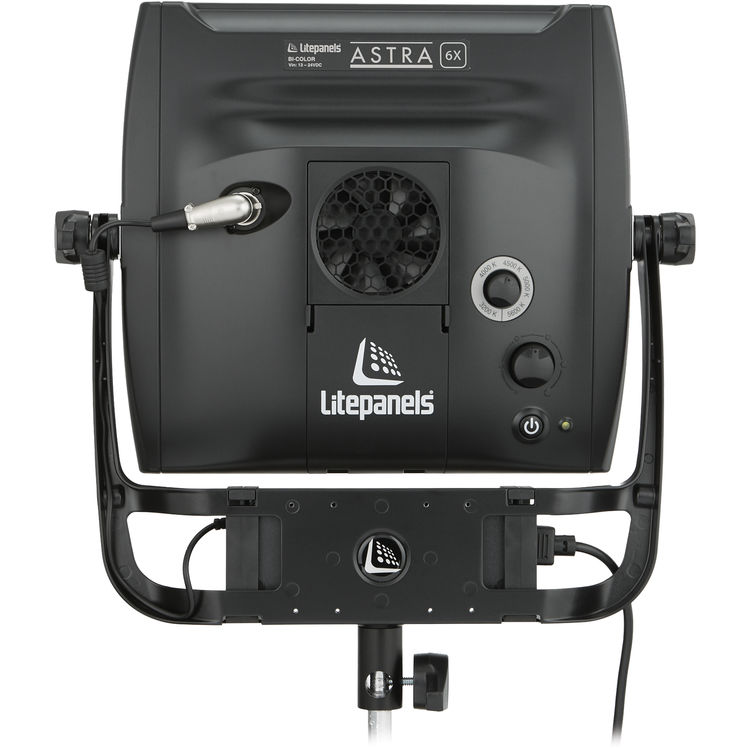
The discontinued Litepanels Astra Soft Bi-Color (935-5021) is the soft-faced model from the 6X/3X Astra generation, not the later Astra IP line. Its built-in diffusion spreads the light across a broad field for close work, with less throw than a directional Astra.
The 94° beam makes it useful as a close interview key or fill. Check which battery bracket and remote-control module comes with a rental or used unit, since those were options.
- Fixture Type1×1 bi-colour LED panel with built-in diffusion
- Power105 W maximum draw; yoke-mounted AC power supply; optional battery bracket
- Colour Temperature3,200–5,600 K
- Weight and Mount3.2 kg fixture; 5/8-inch (16 mm) TVMP receiver
- Beam Control94° beam / 158° field; integrated soft diffusion
- IP RatingIP20 Not dust-tight and no rated water protection; keep dry · IP Ratings Guide
Litepanels Astra Soft Bi-Color Specifications
| Specification | Details |
|---|---|
| Manufacturer and model | Litepanels Astra Soft Bi-Color |
| Source or rated power | 105 W bi-colour LED panel |
| Optics, colour or format | 3,200 to 5,600 K |
| Head or system detail | 3.2 kg, SKU 935-5021 |
Output Calculator
Select the published setup and a manufacturer distance, or enter a custom throw where supported. The results describe centre-beam output, not the brightness across the whole beam.
Camera Settings
If the calculator does not load, use the published photometric table or source on this page. JavaScript is required.
F-stop is a planning estimate, not a meter reading. It uses direct, on-axis illuminance and includes only the optics and diffusion named in the selected setup. Meter on set to account for lens transmission, filters, added diffusion, bounce, dimming and ambient light.
How the exposure estimate works
N = √(E × ISO × t / C), where E is illuminance in lux and t = shutter angle ÷ (360 × fps). The default C = 340 is a dome reference; C = 250 is a flat reference. These are calibration constants, not a measured T-stop. A small nonzero digit is tenths of a stop above the displayed full stop.
Distance estimates and comparisons
Published points are used as given. Between published points the calculator fits a curve through the two nearest readings. Outside those points it uses the inverse-square law only when the fixture’s dataset permits it. Distances outside a configuration’s supported range are reported separately. Comparisons use one shared distance and camera setup; equal lux does not imply equal coverage.
View published readings for the selected configuration
Model and Family Fit
This is the original Astra Soft Bi-Color. Identify the integrated diffuser and rear expansion module rather than assuming a standard Astra, Astra 6X or another revision has the same beam or controls.
Strengths and Limitations
- Built-in diffusion reduces the setup time for a close interview key.
- The soft face gives up throw compared with a directional Astra.
Practical Uses
Use it just outside frame for a short interview or a desk shot. Add a flag on the wall side if the panel is lifting a background you want to hold dark.
Output and Colour
| Configuration | Distance | Lux |
|---|---|---|
| 5,600 K · Soft · 100% Daylight | 1.5 m | 1,178 |
| 5,600 K · Soft · 100% Daylight | 3 m | 294 |
| 5,600 K · Soft · 100% Daylight | 4.6 m | 131 |
| 3,200 K · Soft · 100% Tungsten | 1.5 m | 1,022 |
| 3,200 K · Soft · 100% Tungsten | 3 m | 256 |
| 3,200 K · Soft · 100% Tungsten | 4.6 m | 114 |
Photometric source and test conditions.
The Astra family manufacturer sheet identifies these as the Soft model at full daylight or tungsten output, not the 3X, 6X or Bi-Focus. The calculator follows its printed metric distances (1.5, 3 and 4.6 m) and remains within that range; the paired foot labels are rounded. Intermediate values are estimates, not new manufacturer measurements. Manufacturer photometric sheet.
Power and Controls
The original Astra Soft accepts accessories for app or DMX control. The onboard controls set intensity and CCT, and an optional battery plate permits DC use.
Control, Cooling and Camera Operation
If the fixture needs to follow a cue, test the installed control module. For manual matching between units, use a meter or camera reference; the original panel controls do not give a numeric readout.
Modifiers, Rigging and the Working Package
Its integrated diffusion creates a wide soft field. A louvre or external flag helps keep that field off the background. The 94° beam and 158° field are separate measurements; see the IP ratings guide for what the fixture’s IP20 rating means on location.
Choosing the Optic or Modifier
The integrated diffusion suits a compact close source. Add a compatible louvre or flags for spill control; use a separate larger diffusion surface when the shot needs a visibly larger source.
Alternatives and Related Fixtures
For a harder-faced Astra alternative, see Litepanels Astra 6X Bi-Color LED Light Panel (Discontinued).
For a soft 1×1 panel with full-colour mixing rather than adjustable white only, compare the Litepanels Gemini 1×1 Soft.
What People Are Saying
Field Feedback at a Glance
What worked
- The original Astra Soft’s built-in diffuser gave Brownstone a smooth close key. Hugh Brownstone, hands-on review.
- Brownstone found he could still tilt the panel easily with the battery mounted on the yoke. Hugh Brownstone, hands-on review.
- Allard’s original Astra Soft sample scored 95.5 on the saturated red R9 patch at 3,200 K. Matthew Allard ACS, Newsshooter.
Drawbacks to plan for
- There’s no numeric display for color temperature or dimmer level, so it’s harder to return to a setting. Hugh Brownstone, hands-on review.
- Turning the fan off cut output roughly in half on Allard’s sample. Matthew Allard ACS, Newsshooter.
- On the same sample, the R9 red score fell to 86.9 at 5,600 K. Don’t assume the warmer-setting result carries over. Matthew Allard ACS, Newsshooter.
Hugh Brownstone, Astra 1×1 Soft Bi-Color hands-on
Using a manufacturer-supplied sample, Brownstone liked the built-in diffuser for close-ups but distinguished it from a larger softbox. He also noted the lack of numeric readings on the original intensity and colour controls, making settings harder to repeat.
Videos
Litepanels – Astra 1X1 Soft – Hands-on Review
Rental and Used-Fixture Checks
Check the rear expansion module. DMX, wireless DMX and Bluetooth depended on accessories. Confirm the battery plate if the crew is moving between rooms.
Before You Book
Confirm the diffuser, louvre, control module and battery plate in the kit. Try the controls on the actual unit before committing it to a repeatable multi-camera setup.