
Last Updated 12 hours ago
P600R Overview
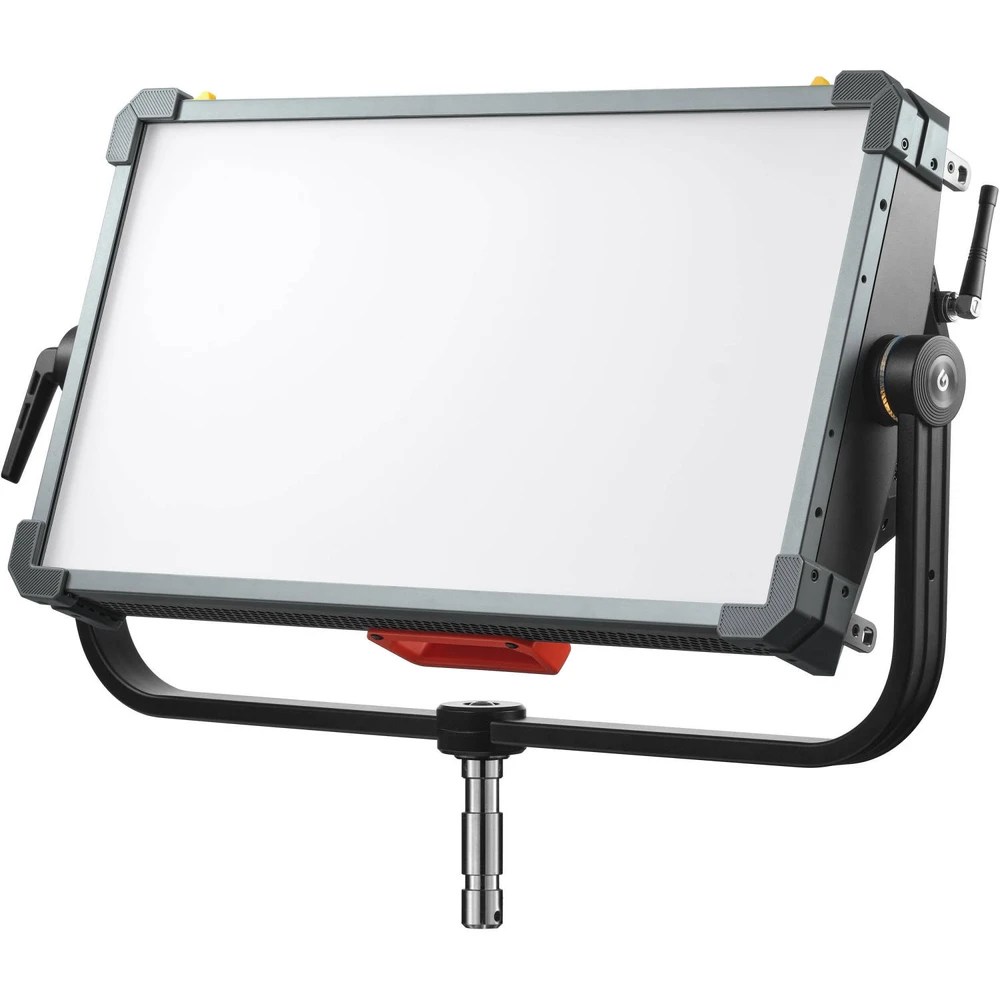
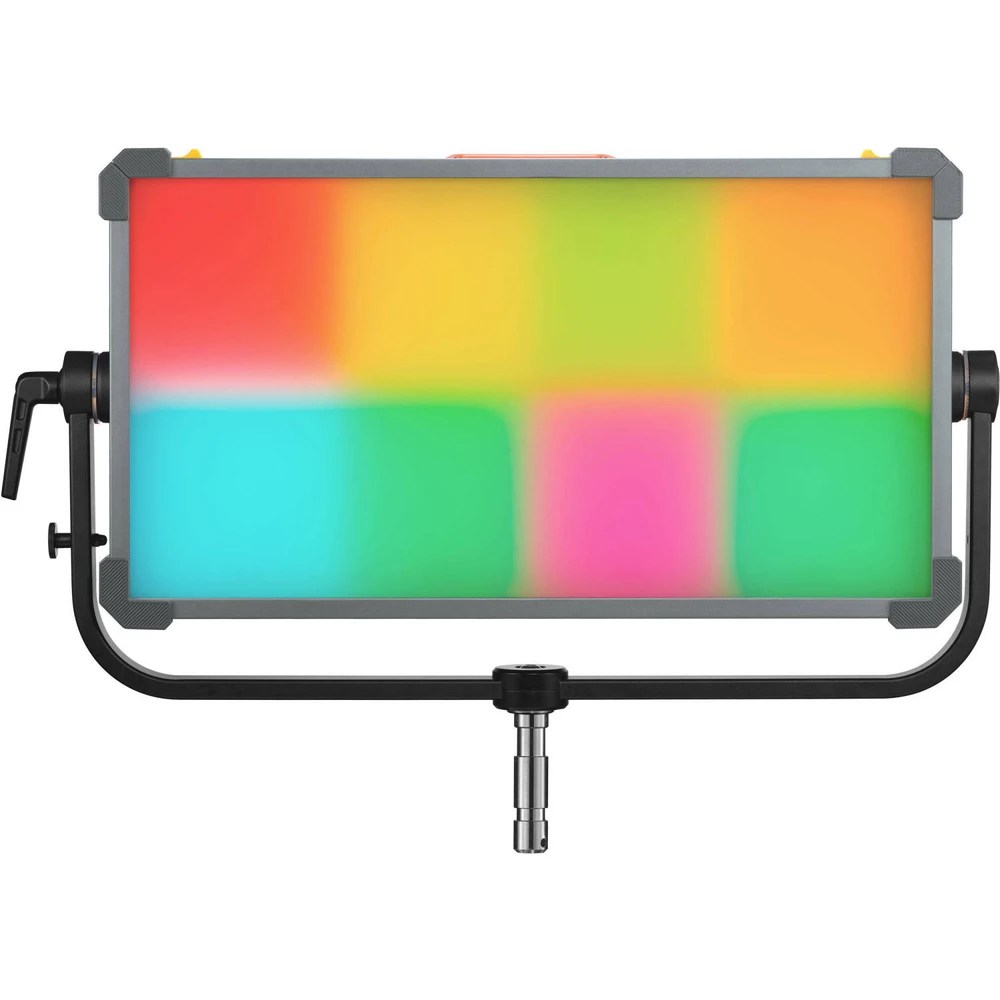
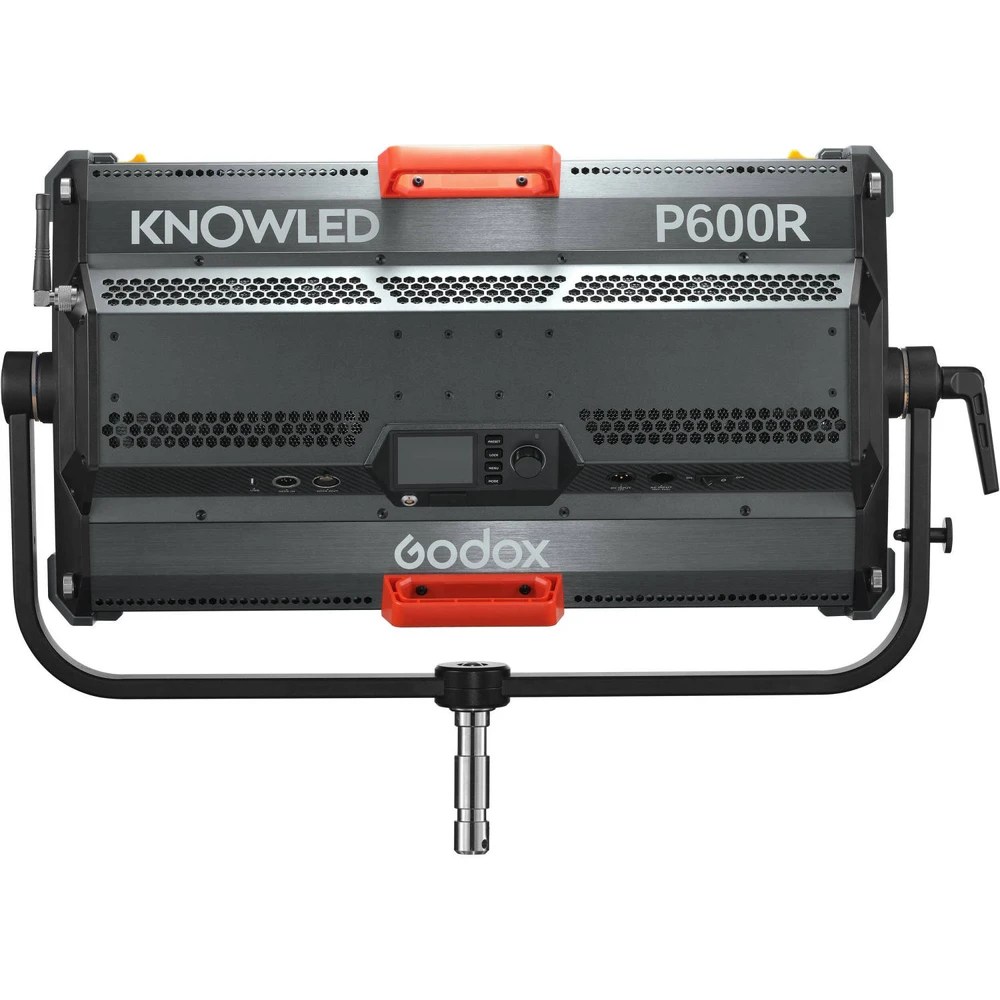
The Godox KNOWLED P600R is the eight-zone rectangular soft panel in the KNOWLED range. FVL also covers the P600R Hard, which uses a different optical design. The standard P600R weighs about 17.8 kg and produces 3,230 lux at 3 m and 5,600 K with its diffuser fitted. Use this model’s readings when planning a soft overhead or a two-person key.
- Fixture Type8-zone soft RGBWW LED panel. Learn about RGBWW.
- Power RequirementApproximately 700 W maximum; 100–240 V AC or a compatible external 48 V DC supply.
- Colour Temperature1,800–10,000 K Adjustable green/magenta tint.
- Weight and MountApprox. 17.8 kg.
- Beam ControlWide soft face with diffuser; use compatible diffusion and light-control accessories to shape coverage.
- IP RatingNo numeric ingress rating specified in the linked operating manual. Keep the fixture dry. IP Rating Guide.
P600R Specifications
| Specification | Details |
|---|---|
| Fixture | 8-zone soft RGBWW LED panel |
| Colour temperature and tint | 1,800–10,000 K, green/magenta adjustment |
| Maximum power | Approx. 700 W (Godox manual) |
| Power connection | 100–240 V AC, 50/60 Hz, 7 A, or external 48 V DC |
| Colour rendering | CRI ≥96, TLCI ≥96 |
| Dimming and effects | 0–100%, four dimming curves |
| Control | Onboard, DMX512/RDM, CRMX, Ethernet (Art-Net and sACN), Bluetooth app |
| Dimensions | 776 × 567 × 153 mm |
| Weight | Approx. 17.8 kg |
Output Calculator
Select the published setup and a manufacturer distance, or enter a custom throw where supported. The results describe centre-beam output, not the brightness across the whole beam.
Camera Settings
If the calculator does not load, use the published photometric table or source on this page. JavaScript is required.
F-stop is a planning estimate, not a meter reading. It uses direct, on-axis illuminance and includes only the optics and diffusion named in the selected setup. Meter on set to account for lens transmission, filters, added diffusion, bounce, dimming and ambient light.
How the exposure estimate works
N = √(E × ISO × t / C), where E is illuminance in lux and t = shutter angle ÷ (360 × fps). The default C = 340 is a dome reference; C = 250 is a flat reference. These are calibration constants, not a measured T-stop. A small nonzero digit is tenths of a stop above the displayed full stop.
Distance estimates and comparisons
Published points are used as given. Between published points the calculator fits a curve through the two nearest readings. Outside those points it uses the inverse-square law only when the fixture’s dataset permits it. Distances outside a configuration’s supported range are reported separately. Comparisons use one shared distance and camera setup; equal lux does not imply equal coverage.
View published readings for the selected configuration
Model and Family Fit
This is the diffused eight-zone P600R. The P600R Hard has a directional front assembly, so don’t use the Hard beam data to plan the softer head.
Strengths and Limitations
- Strength. The wider face works across two seated people, and eight zones allow a travelling cue without rigging a line of individual lamps.
- Limitation. A 17.8 kg panel and its accessory frame take more support and working clearance than a fabric mat. Switching the fan off also reduces the available dimmer range.
Practical Uses
| Setup | Placement |
|---|---|
| Two-person interview | Set the long axis parallel to the actors. Compare the levels at both chairs, then feather the face or adjust its position to balance the near and far seats. |
| Vehicle interior on stage | Run a passing-light cue across the eight zones while checking the reflected movement in the side glass. Flip the zone order at the desk if the panel is hung the other way round. |
Output and Colour
Godox measured the following configurations at full brightness. Each cell gives lux followed by the equivalent foot-candles, rounded to the nearest whole foot-candle.
| Configuration | 3 m lux / fc | 5 m lux / fc | 7 m lux / fc | 9 m lux / fc |
|---|---|---|---|---|
| 5,600 K · diffuser fitted | 3,230 / 300 | 1,470 / 137 | 899 / 84 | 607 / 56 |
| 3,200 K · diffuser fitted | 2,970 / 276 | 1,360 / 126 | 836 / 78 | 562 / 52 |
At 3 m and 5,600 K the P600R delivers almost exactly twice the P300R’s diffuser-on centre reading, roughly one stop. At 5 m the pair give 1,470 and 748 lux. Keep the diffuser and the working distances matched when comparing the two panels.
Power and Batteries
The panel takes 100–240 V AC at 50/60 Hz or compatible external 48 V DC power. Godox specifies approximately 700 W maximum and a 7 A AC input rating. The head powers up directly on connecting 48 V DC. Verify the external supply and cable under the intended load before taking a battery-powered package to set.
Control, Cooling and Camera Operation
The P600R has 8 independently controllable zones. Select a console personality that exposes the zones before patching wired DMX, CRMX, Art-Net or sACN. The onboard menu also offers CCT, HSI, RGBW, gel and x,y colour controls. In fan-off mode the linear curve tops out at 20% on the dimmer. Auto or High allows full dimmer travel. Check a slow fade in the chosen fan mode and curve.
Modifiers, Rigging and the Working Package
The P600R has a removable diffuser and accessory tracks. Godox lists the P600RH30 honeycomb, P600RB4 barndoors and P600RS34 3 × 4 ft softbox. Their size and front weight change the tilt clearance. Check the frame retainer and set the yoke with the actual accessory installed.
Choosing the Optic or Modifier
Use the removable diffuser as the baseline. Fit the honeycomb, doors or softbox for the intended spill and source size, then recheck yoke clearance.
Alternatives and Related Fixtures
| Related fixture | When to compare it |
|---|---|
| Godox KNOWLED P600R Hard | The hard-source version when you need a more directional beam. |
| Aputure Nova P600c | A wide soft RGBWW panel to compare at the same distance and diffusion setting. |
What People Are Saying
Samuel Bouret, setup and shoot
Bouret shows the P600R and P300R being set up together for a shoot. The comparison shows the two soft panels in a real setup rather than relying on the trade-show prototypes. View the source.
Soft and Hard compared
LensVid’s IBC coverage shows the soft and hard P600 prototypes side by side. The video helps identify which front assembly is in a listing or rental package. The operating manual below documents the production soft panel. LensVid’s IBC first look.
Field Feedback at a Glance
Bouret’s shoot demonstrates the two fixtures in use. The settings and limitations below come from Godox’s operating documentation, not a separate lab test.
What Works Well
- A wide soft source. The diffuser is built into the working setup, so you can start with a broad source and add a grid only when the room needs spill control. See both soft panels used together.
- 8 independently adjustable zones. The zones let you vary brightness and colour across a face rather than making the entire panel change at once. This is useful for firelight and interactive colour cues. Godox’s pixel-zone demonstration.
- Patch it into a larger rig. Wired DMX/RDM, CRMX and Art-Net or sACN are available. Pick the protocol and personality during prep, rather than trying to map the zones from an unfamiliar menu on set. Godox control menu and patch options.
Limitations to Check
- Fan mode can cost output. The manual lists output limits with the fan off; the ceiling in Medium Speed also varies with ambient temperature. Take your meter reading in the sound department’s approved fan mode. See Godox’s fan mode table.
- The soft face spreads the beam. Godox lists 3,230 lux at 3 m with the diffuser at 5,600 K. Don’t book this soft fixture based on a P-series Hard model’s readings; check the mounting distance and modifier for the shot. See the illustrated Godox soft-panel specs.
- 48 V DC behaves differently from mains. The manual says the fixture powers up when DC is connected; the fixture’s own power switch does not operate in that mode. Confirm the proper supply and test the actual DC package at prep. See Godox’s battery and DC instructions.
Videos
Samuel Bouret uses the production P600R and P300R soft panels in a lighting setup.
LensVid compares the soft and hard prototypes at IBC.
Rental and Used-Fixture Checks
Read the full model name on the housing. Confirm the included diffuser and its latch, run a test across all eight zones, and check the yoke locks with the ordered softbox fitted.
Before You Book
Check the focus of the order: original soft front, diffuser latch, correct modifier, power path and all eight console zones.
Documentation and Specifications
- Godox operating manual and illuminance tables (PDF)
- Godox series specifications
- Godox USA product photographs and kit listing
Browse Godox lights · LED panels · all equipment.