
Last Updated 2 days ago
Overview
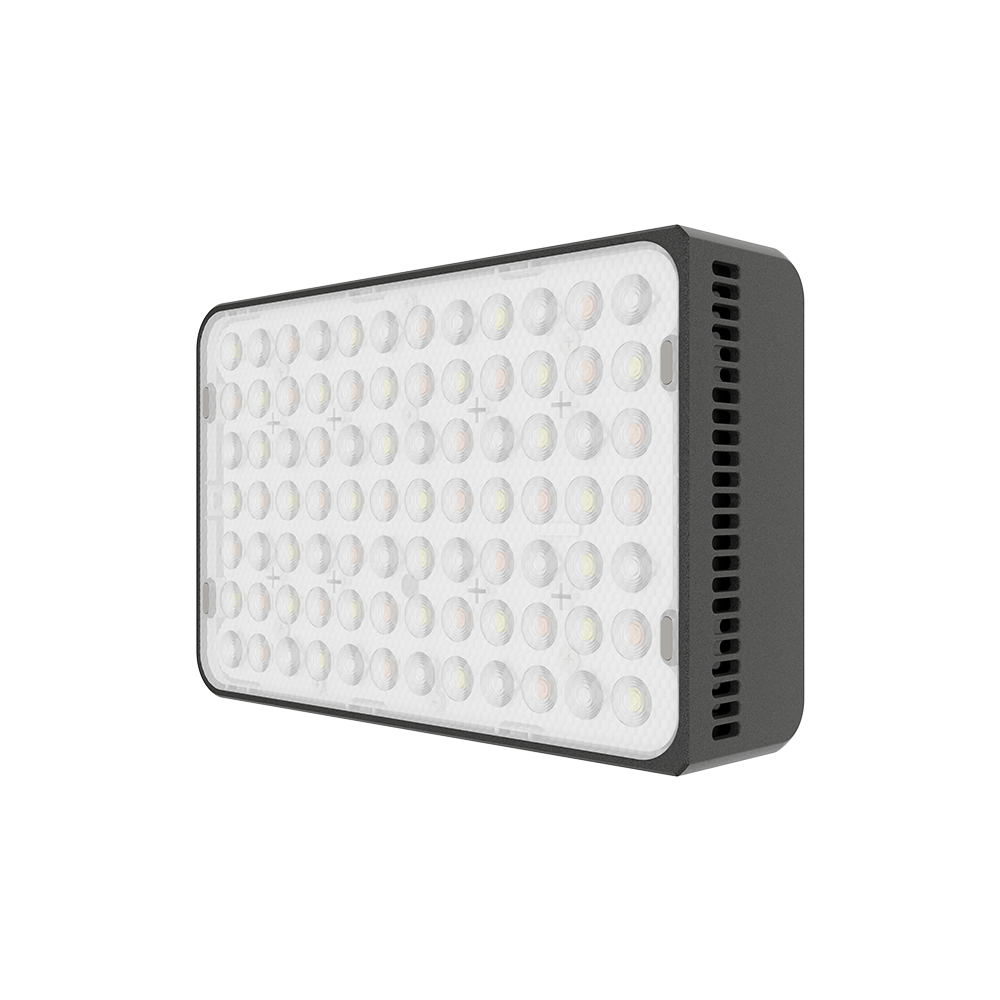
The amaran Ace 25x is a rechargeable bi-colour mini LED for on-camera work, small accents and portable close lighting. It combines a built-in battery, Ace Lock mounting, app control and several output modes in a compact body.


Product photographs: amaran. Select an image to view it at full size.
The 25x concentrates on white light from 2,700–6,500K. It does not inherit the 25c’s RGB modes, even though the two lights share much of their mounting, charging and cooling design.
Key specifications
| Specification | Details |
|---|---|
| Colour range | Bi-colour; 2,700–6,500K |
| Power modes | 25W Standard; up to 32W Boost; 6.5W Silent |
| CRI / TLCI | 95+ / 95+ |
| SSI P3200 / D56 | 83 / 73 |
| Bare beam | 50° |
| Battery | 7.4V; 4,500mAh / 33.3Wh |
| Manufacturer runtime | About 70 / 50 / 280 minutes in Standard / Boost / Silent |
| Charging | USB-C PD/QC; about 90 minutes to full under rated conditions |
| Maximum USB-C input | 36W powered off; 41W powered on |
| Dimensions | 118 × 77 × 33mm |
| Weight | 325.5g |
| Cooling | Active; Silent limits power |
| Controls | Onboard, amaran app, Sidus Link |
Strengths and limitations
Strengths
- Internal battery makes short setups quick.
- Ace Lock, a threaded mount and magnetic placement provide several rigging routes.
- Simple white-light control for a compact travel package.
Limitations
- The small emitting face remains a small source, even with the dome attached.
- Active cooling at higher output can be audible beside a camera microphone.
- Runtime and maximum brightness depend on mode; Boost is not the normal full-spectrum operating state.
Practical uses
| Setup | Working approach |
|---|---|
| On-camera fill | Use the lowest level that makes the face readable and keep the camera-to-subject distance realistic. A tiny light mounted beside the lens will give a different result from a larger off-camera key. |
| Tight accent | Hide the light behind an object or place it close to a small detail. Secure the mounting point and keep fan inlets clear rather than enclosing the head in props. |
| Close bounce | Aim at a nearby pale wall or small bounce card for softer fill. Check the result at the subject; the bounce costs output and cannot be estimated from the bare close-range headline. |
Output and colour
Close-range bare-head maxima describe a particular CCT and power mode. Meter at the working distance after fitting the dome or grid. Do not combine the longest Silent runtime with Boost illuminance: they are different settings.
For a specific CCT, distance and accessory, use the model’s manufacturer specification and photometric reference. Test the final lighting and camera combination when colour consistency or high-speed recording is critical.
CRI, TLCI and SSI describe different aspects of colour reproduction. A high CRI value does not establish a perfect match to daylight, tungsten or another LED. Compare important skin tones, wardrobe and product colours on the camera used for the job.
Power and batteries
The built-in battery is rated 33.3Wh. Manufacturer runtime references are about 70 minutes in Standard, 50 minutes in Boost and 4 hours 40 minutes in the low-power Silent mode. Temperature, battery age and operating settings can change the usable time.
Charging is through USB-C PD/QC. The specifications distinguish charging while off from powered-on input, so use a suitable source rather than budgeting from the LED wattage alone. A cable is included; check whether the chosen kit includes the required wall charger.
Control, cooling and camera operation
The local wheel and screen, amaran app and Sidus Link provide control. Select the output and fan modes before exposure; moving to Silent limits LED power to 6.5W rather than keeping full brightness with the fan simply switched off.
The x model provides bi-colour CCT control. Choose the 25c if saturated colour and tint correction are required. The x model’s standard and Boost readings should remain separate when comparing exposure.
Modifiers, rigging and the working package
The magnetic dome and optional grid change spread and spill. The dome is useful for smoothing the beam, but it does not turn this mini panel into the equivalent of a large softbox.
Use the matching Ace Lock cold-shoe adapter, mini tripod or the threaded mounting point. Magnetic placement depends on the material, contact area and orientation; provide proper retention where a dropped light could hit someone. Keep the release button reachable.
Alternatives and related fixtures
| Fixture | Choose it for |
|---|---|
| Aputure MC Pro | A smaller professional pocket fixture with a different weather, control and accessory package. |
| amaran P60c | A larger RGBWW panel with greater emitting area. |
| amaran COB 60x S | A Bowens point source for portable white-light work and larger modifiers. |
What people are saying
Stephen Knight’s Ace 25c test. Knight’s self-purchased 25c review covers beam shape, charging, runtime and Boost restrictions. It provides family handling context; its RGB and measured output results are for the 25c, not this bi-colour model.
Videos
Ace 25x and 25c: manufacturer introduction
Manufacturer overview of the Ace Lock mini-light range.
Rental and used-fixture checks
- Confirm the exact model and generation on the label, then compare the included supply, cables and accessories with the matching manual.
- Inspect the emitting face, housing, connector pins, mounting threads and locks. Test every supplied modifier and make sure the release mechanism fully engages.
- Run the light at the intended output until it reaches normal operating temperature. Check for flicker, unexpected shutdown, uneven emitters and unusual fan noise.
- Test white light and every available colour mode; check low-level dimming, blackout and the camera/shutter combination used for the job.
- Test the battery under load rather than accepting a full-charge indicator as proof of capacity. Include the correct charger, cable and any removable grip in the handover.
Documentation and specifications
- Official model information
- Manufacturer kit contents and accessories
- Model photometrics and specifications
- Menu and mode settings
Browse amaran lights or search the equipment directory.