
Last Updated 6 days ago
Overview

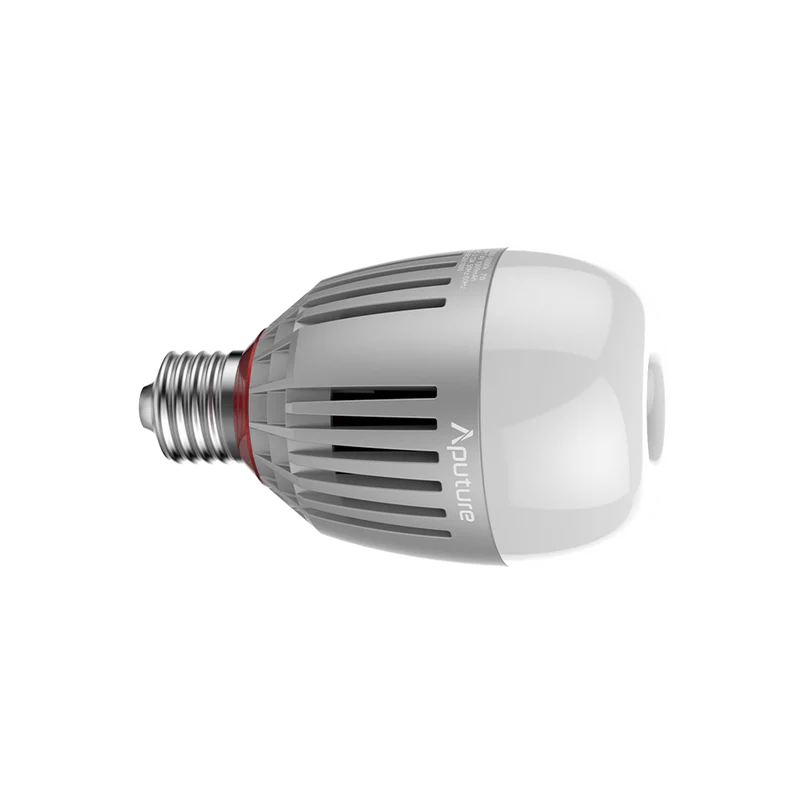
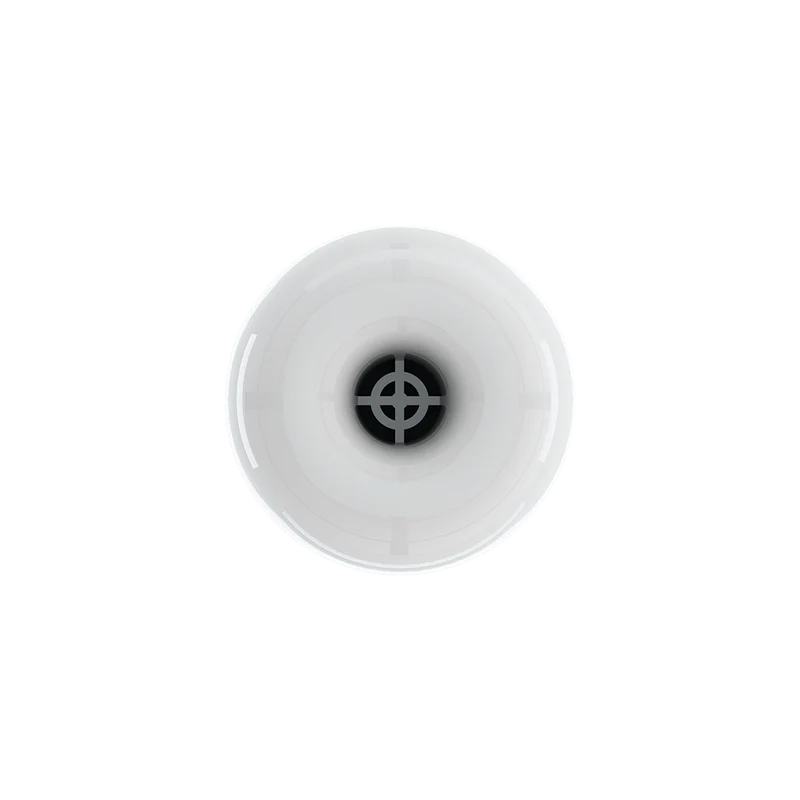
The Aputure Accent B7c is an RGBWW practical bulb with an internal battery and Sidus Link control. It can operate in a suitable mains-powered socket or use its battery to illuminate a practical where usable socket power is unavailable.
The B7c provides remote level and colour control inside visible practical lamps. Its fit, shade illumination and AC/battery switching behaviour affect the final look.
- RGBWW Practical Bulb 7 W LED source with built-in battery and E26/E27 socket. Learn about RGBWW
- 12 W Maximum Input Aputure’s current technical table; 100–240 V AC or internal battery operation.
- Colour Temperature2000–10000 K Tunable white and full-colour control through the compatible controls.
- Weight 240 g Bulb. 70 mm diameter × 118 mm long; check E26/E27 socket support and shade clearance.
- Beam Control Fixed diffused bulb, not a focusing spotlight. The practical’s shade and housing shape coverage.
- No Published IP Rating The cited Aputure specifications give no numeric ingress rating. Do not assume rain or water protection for the bulb or its socket. Understanding IP Ratings.
Key Specifications
| Specification | Details |
|---|---|
| Source / socket | RGBWW practical bulb; E26/E27 |
| White range | 2,000–10,000K |
| Manufacturer luminous output | 570 lumens per bulb |
| LED output / maximum consumption | 7W / 12W maximum input in Aputure’s current technical table |
| AC input | 100–240V |
| Internal battery | 1,300mAh at 7.4V |
| Manufacturer runtime | Over 70 minutes maximum brightness; over 20 hours near minimum |
| Recharge reference | Approximately 2 hours in standby or powered off |
| Dimensions / weight | Approximately 70 × 118mm / 240g |
| Control / cooling | Onboard and Sidus Link; passive cooling |
| Console control | No native DMX or CRMX receiver |
Output Calculator
Select the published setup and a manufacturer distance, or enter a custom throw where supported. The results describe centre-beam output, not the brightness across the whole beam.
Camera Settings
If the calculator does not load, use the published photometric table or source on this page. JavaScript is required.
F-stop is a planning estimate, not a meter reading. It uses direct, on-axis illuminance and includes only the optics and diffusion named in the selected setup. Meter on set to account for lens transmission, filters, added diffusion, bounce, dimming and ambient light.
How the exposure estimate works
N = √(E × ISO × t / C), where E is illuminance in lux and t = shutter angle ÷ (360 × fps). The default C = 340 is a dome reference; C = 250 is a flat reference. These are calibration constants, not a measured T-stop. A small nonzero digit is tenths of a stop above the displayed full stop.
Distance estimates and comparisons
Published points are used as given. Between published points the calculator fits a curve through the two nearest readings. Outside those points it uses the inverse-square law only when the fixture’s dataset permits it. Distances outside a configuration’s supported range are reported separately. Comparisons use one shared distance and camera setup; equal lux does not imply equal coverage.
View published readings for the selected configuration
Strengths and Limitations
Strengths
- Battery operation makes a controllable practical possible where socket power is unavailable.
- App grouping allows several practicals to be adjusted without touching their shades.
Limitations
- Maximum-brightness runtime is much shorter than the low-output 20-hour headline.
- No native console receiver; its dimensions and limited output can rule out some practicals or distant lighting tasks.
Practical Uses
Test the bulb inside the actual shade or housing before shooting. Its dimensions and the direction of light from the bulb can affect the look of a practical as much as the selected colour temperature.
| Setup | How to use this fixture |
|---|---|
| Actor-operated table lamp | Use AC mode when the lamp’s mains switch must control illumination. Rehearse the actual switch action and the recalled colour/intensity. |
| Unpowered practical | Battery mode can illuminate a practical without a live socket. Dress the lamp only after selecting the mode and required brightness. |
| Several practicals in one room | Name and group bulbs in Sidus Link so the operator can find the correct source without removing a shade. Match them through the actual shades on camera. |
Output and Colour
The published 570-lumen output is for one bulb. A shade or housing changes where that light goes, so test the actual practical for camera exposure and wall spill. RGBWW provides white, colour and effects, but a visible bare bulb, a shaded table lamp and a bounced source are different uses of its modest output.
Sources: Aputure Accent B7c: aputure.com reference.
Lumens describe total luminous output, whereas lux describes illumination at a position. The 570-lumen rating cannot be converted into a dependable subject exposure without the practical’s shape and distance. A dark shade, narrow opening or coloured lining can change the result substantially.
When the bulb is visible, decide whether the shot needs filament-like brightness, useful illumination on a face, or simply a warm shade. Those can require different compromises. A separate off-camera source can supplement the practical while the B7c maintains its visible appearance.
Power and Batteries
AC and Battery modes serve different switch behaviour. AC mode is appropriate when the practical’s mains switch should operate the bulb; Battery mode allows it to remain lit without mains. Select the intended mode before dressing the practical.
See the B7c practical dimming and blackout example for how the two power modes affect a cue.
The manufacturer quotes more than 70 minutes at maximum brightness and more than 20 hours near minimum. These are different brightness conditions. Schedule battery changes around the selected scene level, and charge for the stated approximately two hours in standby or powered off. Do not use an ordinary household phase-cut dimmer for intensity control.
Control, Cooling and Camera Operation
| Control path | Hardware and operating notes |
|---|---|
| Onboard | Bulb buttons provide local brightness/CCT operation and mode selection. |
| App | Sidus Link Bluetooth Mesh for supported colour, effects, naming and grouping. |
| Lighting console | No native DMX/CRMX receiver; the bulb is not directly interchangeable with a console-addressed practical. |
| Practical switch | Rehearse AC/Battery mode with the actual lamp switch, including power-off and return behaviour. |
Pair, name and set the bulbs before installing tight shades. Test the dimmest visible level and effects at the production frame rate and shutter, especially with the bare diffuser in frame.
For repeated takes, keep a note of colour mode, intensity and the practical used. A different shade can alter both colour and exposure even when the replacement bulb uses exactly the same app settings.
Modifiers, Rigging and the Working Package
The E26/E27 bulb is about 70 × 118mm and 240g. Check socket and shade clearance, ventilation and the physical support of the practical. An internal battery removes the power cable during operation but does not make a powered socket irrelevant; set the intended AC/Battery mode and keep access to the bulb controls.
| Item | Practical requirement |
|---|---|
| Bulb body | Approximately 70 × 118mm and 240g; allow shade and harp clearance |
| Socket | Correct E26/E27 arrangement and mechanically sound practical |
| Ventilation | Keep the bulb’s prescribed clearances inside the shade or housing |
| Charging and spares | Suitable charging arrangement and charged replacements |
| Access | Reachable mode/buttons until switching and pairing are complete |
Alternatives and Related Fixtures
| Fixture | When to compare it |
|---|---|
| Aputure Accent b7c 8-Bulb Kit | Choose the eight-bulb charging kit when organised charging, spares and transport matter; the bulbs themselves have the same output. |
| Godox KNOWLED C7R Bulb | Compare another internally battery-powered practical bulb, including its dimensions, runtime and control app. |
| Godox KNOWLED C10R Bulb | Choose the externally powered C10R only when an internal battery is unnecessary. |
What People Are Saying
Field Feedback at a Glance
What worked
- The Lensrentals tester paired all eight individual B7c bulbs quickly and grouped them for simultaneous adjustments. Ryan Hill, Lensrentals.
- He used the Sidus Link colour picker to reproduce the orange of the Lensrentals branding as a practical colour. Ryan Hill, Lensrentals.
- In the reviewer’s 240 fps test, the light showed no visible flicker or colour change. That test does not establish performance at every camera setting. RedShark News field test.
Drawbacks to plan for
- In the same office lamp, the B7c illuminated the top of the shade more strongly than the bottom, unlike the standard bulb it replaced. Ryan Hill, Lensrentals.
- The reviewer’s meters found the actual colour temperature differed from the app setting, particularly at the top of the range. Meter the bulb if it has to match another source precisely. RedShark News field test.
- To start the bulb on its battery, the reviewer had to hold the small power button rather than just tap it. Switching it off took a single press. RedShark News field test.
Newsshooter, B7c Review
Newsshooter examines the B7c as a remotely controlled practical bulb, including battery-powered operation. Read article.
Reddit, R/Cinematography
Several contributors favour the B7c and its Aputure integration. Another prefers the Godox C7R for the way it fills a lampshade. View discussion.
Videos
New Layer covers the B7c bulb and the eight-bulb charging kit.
Rental and Used-fixture Checks
Before You Book
- Test the actual wall/lamp switch in the chosen AC or Battery mode.
- Check battery runtime, shade clearance and heat clearance before dressing the set.
- Pair and label each bulb in Sidus Link and verify it recalls the intended setting.
Aputure’s current B7c technical specifications list 12 W maximum input, rather than a 9 W consumption figure. The 7 W figure describes the LED source, not maximum mains input.
Documentation and Specifications
Browse Aputure lights · bulb lights · all equipment.