
Last Updated 7 hours ago
Select LED 20 Overview
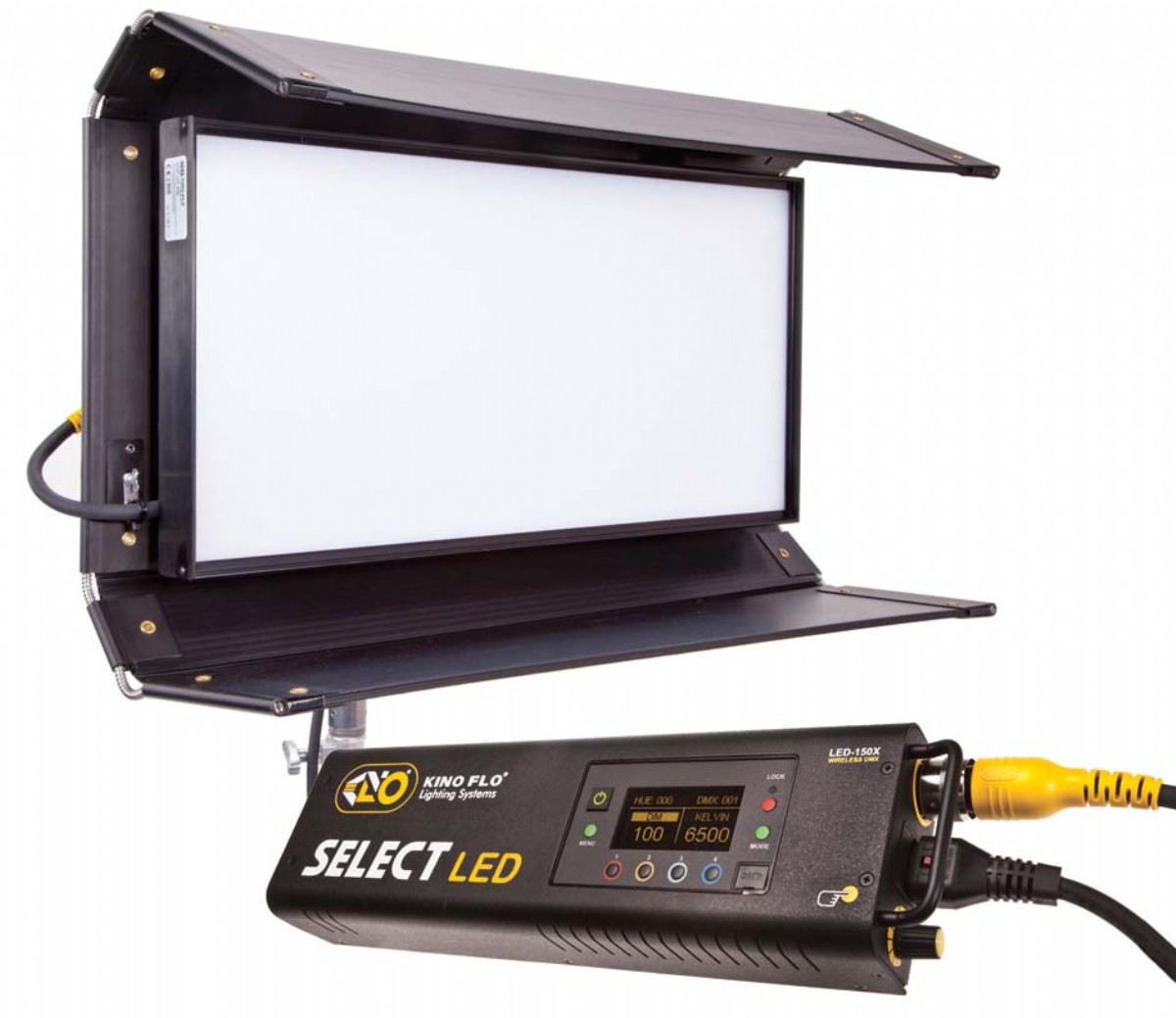
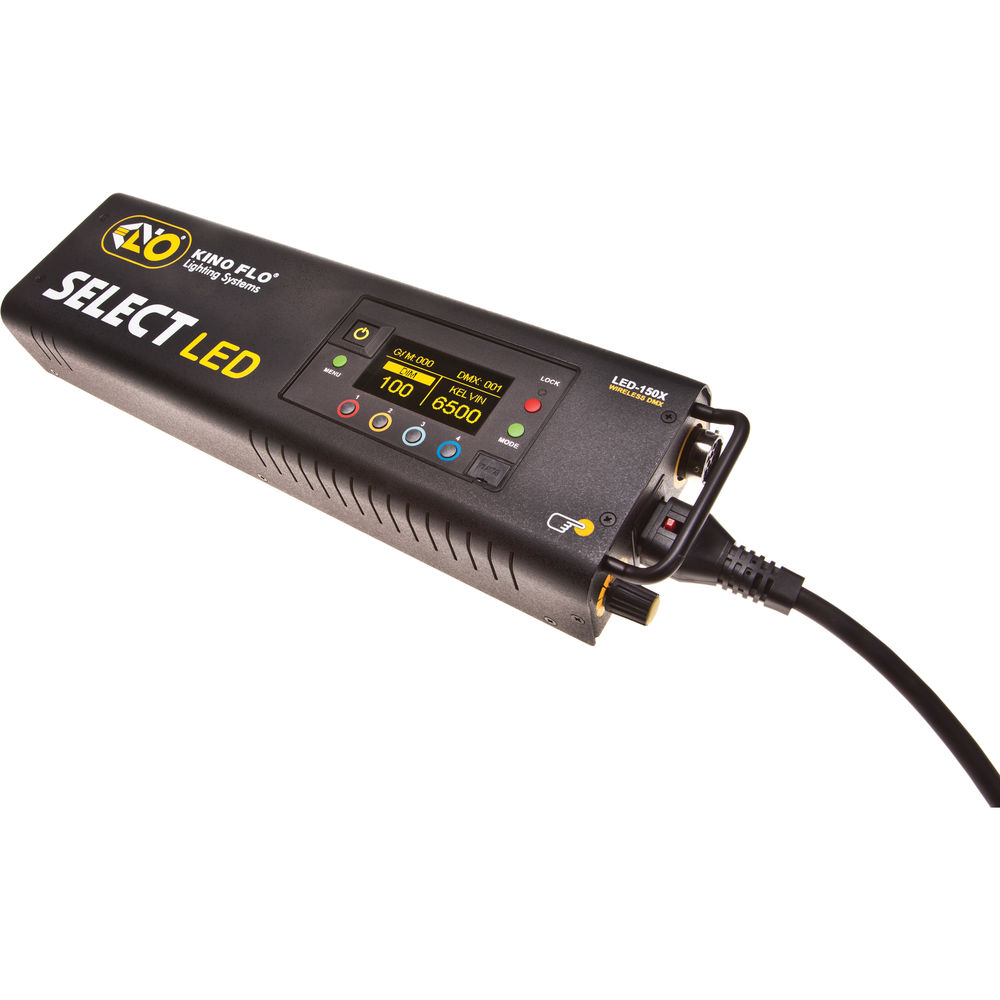

The Select 20 is the shorter, wider member of Kino Flo’s Select pair. Its shallow body fits a low ceiling or small interview room, and the remote controller can stay accessible near the floor.
- Type
Legacy colour-capable LED soft panel with a separate controller. - Power
150 W LED-150X controller, 100–240 V AC or 18–36 V DC. - Colour Temperature2700–6500 KWhite menu; firmware colour menus extend from 2500 to 9900 K.
- Weight / Mount
4.5 kg fixture per Kino Flo; separate 2 kg controller. Verify the rigging package before mounting. - Beam Control
Broad soft output; use barndoors or a louvre to limit spill. - IP Rating
No numerical IP rating stated in the archived specifications; do not assume water protection.
Select LED 20 Specifications
| Specification | Details |
|---|---|
| Manufacturer and Model | Kino Flo Select LED 20 |
| Controller | LED-150X, 150 W |
| Fixture Dimensions | 26.5 × 13 × 3.5 in.; 67 × 33 × 9 cm; 6 in. / 15 cm barn doors |
| Fixture Weight | 10 lb / 4.5 kg as printed |
| Controller Dimensions and Weight | 15 × 4.5 × 3 in. / 38 × 11.5 × 8 cm; 4.5 lb / 2 kg |
| Input | 100–240 V AC, 50/60 Hz; or 18–36 V DC |
| DC Current | 6.25 A at 24 V DC in the archived technical specifications |
| White Menu | 2,700–6,500 K, dimming and green/magenta |
| Colour Menus | 2,500–9,900 K, gel presets, hue/saturation and RGB with the corresponding colour firmware |
| Dimming | 100–1% in the archived specifications |
| Archive Status | Discontinued March 2018 |
Output Calculator
Select the published setup and a manufacturer distance, or enter a custom throw where supported. The results describe centre-beam output, not the brightness across the whole beam.
Camera Settings
If the calculator does not load, use the published photometric table or source on this page. JavaScript is required.
F-stop is a planning estimate, not a meter reading. It uses direct, on-axis illuminance and includes only the optics and diffusion named in the selected setup. Meter on set to account for lens transmission, filters, added diffusion, bounce, dimming and ambient light.
How the exposure estimate works
N = √(E × ISO × t / C), where E is illuminance in lux and t = shutter angle ÷ (360 × fps). The default C = 340 is a dome reference; C = 250 is a flat reference. These are calibration constants, not a measured T-stop. A small nonzero digit is tenths of a stop above the displayed full stop.
Distance estimates and comparisons
Published points are used as given. Between published points the calculator fits a curve through the two nearest readings. Outside those points it uses the inverse-square law only when the fixture’s dataset permits it. Distances outside a configuration’s supported range are reported separately. Comparisons use one shared distance and camera setup; equal lux does not imply equal coverage.
View published readings for the selected configuration
The factory chart does not identify the colour temperature or dimmer setting used for these measurements.
Strengths and Limitations
- A broad, shallow face fits where the longer Select 30 sticks out of frame.
- Its shorter long axis gives less continuous wrap across a two-shot at the same placement.
Practical Uses
Keep the face horizontal for a wide seated key or rotate it for a standing portrait. The louvre reduces light reaching a background beside the subject.
Output and Colour
| Metres | Factory Lux | Converted fc |
|---|---|---|
| 0.5 | 7,113 | 660.8 |
| 1 | 2,409 | 223.8 |
| 1.5 | 1,121 | 104.1 |
| 2 | 634 | 58.9 |
| 2.5 | 412 | 38.3 |
| 3 | 288 | 26.8 |
| 3.5 | 212 | 19.7 |
| 4 | 164 | 15.2 |
| 4.5 | 131 | 12.2 |
| 5 | 106 | 9.8 |
Kino Flo’s original Select 30/20 photometric chart supplies ten metric-distance readings for this model. The calculator uses only that metric series and remains bounded to 0.5–5 m. Foot-candles in this table are conversions from lux, not the separate factory feet-distance readings below. Intermediate calculator values are estimates. The chart does not specify CCT, dimmer setting, louvre or diffusion configuration, or AC versus DC test power; these values should not be presented as a verified result for a particular setting or accessory.

| Factory Distance (ft) | Factory Foot-Candles |
|---|---|
| 2 | 508 |
| 4 | 154 |
| 6 | 70 |
| 8 | 40 |
| 10 | 26 |
| 12 | 18 |
| 14 | 14 |
| 16 | 11 |
| 18 | 9 |
| 20 | 7 |
Manufacturer Output Reference
No independently metered, exact-model Select 20 lux chart was verified. Kino Flo’s own chart reports 2,409 lux at 1 m and 288 lux at 3 m but does not specify the colour temperature, dimmer setting or modifier. Use it as a reference for output at those distances, not as a guarantee of output or colour accuracy at your settings.
Power and Batteries
The LED-150X accepts 100 to 240 V AC or 18 to 36 V DC. Control options depend on the installed firmware. Verify the menu and DMX mapping on the actual controller.
The manufacturer’s colour-update overview identifies wired DMX and LumenRadio wireless DMX, and explains that the original white-light controller gained colour menus through a firmware update. Its input example is 1.25 A at 120 V AC. The archived specification sheet lists the controller separately from the lamphead, so add controller weight when planning the complete rig.
Control, Cooling and Camera Operation
On a matched pair, set the same controller firmware, white or colour menu, DMX personality and starting address. Test a slow fade into the lowest cue on the intended camera before building the look around that level. For flicker cues, confirm which parameters are controlled by the console and which are fixed on the head.
In movie-intercom’s exact-model demonstration, the external LFX Master DMX controller flickers the Select 20 while the fixture supplies an electronic gel colour. This demonstrates an external control workflow, not an onboard effect or a quantitative performance test.
Modifiers, Rigging and the Working Package
The 26.5-inch body has folding doors and a removable louvre. The swivel plate and remote cable save space behind the head.
Fixture Size and Working Package
The Select controller manual lists the Select 20 kit as more than the head: confirm the LED-150X, head extension, mounting hardware, louvre and kit case with the rental shop. Do not substitute the longer Select 30 for a fit-critical set piece merely because it shares the controller family.
Alternatives and Related Fixtures
Need the longer head? See the Kino Flo Select LED 30 specifications and Output Calculator for the other fixture’s own factory readings.
For a later short-format Kino Flo colour head, see Kino Flo FreeStyle 21.
The archived Select head is CFX-SL20 with the Select LED-150X controller. The FreeStyle operating manual identifies the later CFX-F21 and FreeStyle LED-152X controller separately. Check the head label, panel, cables and firmware on the kit rather than assuming parts or output transfer between the two.
What People Are Saying
American Cinematographer, Outlander
Cinematographer Alasdair Walker told American Cinematographer that he used Select 20 and Select 30 fixtures for soundstage interiors at night on Outlander. He found the light stayed true when dimmed and described curved Depron and diffusion frames for softer skin tones. This is firsthand evidence for both fixtures in that setup, not a comparison between the two head sizes.
Lighting cameraman Pete Burns lists a Select 20 in his own kit. He describes the source as soft and the full-colour mode as a way to carry fewer physical gels. His notes describe his controller’s available presets and effects, not features guaranteed on older firmware.
Field Feedback at a Glance
What worked
- Stays consistent when dimmed. Alasdair Walker used both Select 20 and 30 heads on Outlander and found they held their colour through dimming in his setup. Read Walker’s lighting breakdown.
- Move the controls off the head. The removable Select 150 LED DMX controller and 25 ft X12-25 extension let the head sit high or in a tight space without putting all the electronics there. Kino Flo’s kit and mounting diagram.
- Less time changing gels. Lighting cameraman Pete Burns calls out the Select 20’s soft output and uses the controller’s colour settings instead of carrying physical gels for every look. Burns’s own kit notes.
Drawbacks to plan for
- The extension and controller are part of the working package. An inexpensive used head by itself is not a usable kit. Check for the Select 150, matching head cable, mount, and the AC cord or approved 24 V supply you need. Kino Flo’s original package list.
- Verify the modes on the actual controller. Kino Flo documents 2,700–6,500 K in White mode and a wider 2,500–9,900 K range in Colour mode. Don’t assume the wider range or available options from a used listing; verify the firmware and menu during prep. Read the White and Colour mode comparison.
- Allow for extra diffusion when the scene needs it. Walker did not rely on the bare unit for every soft skin tone. He added curved Depron and diffusion frames on Outlander. Confirm the fixture can deliver the level you want through the actual modifier. See the on-set diffusion setup.
Videos
If the embed is unavailable, watch the Select 20 demonstration on Vimeo.
Rental and Used-Fixture Checks
Check the LED-150X controller, head extension and mount. Verify the firmware and colour menus before matching a second rental head.
Before You Book
- Match the Select 20 head, LED-150X, head cable, working louvre and mount before accepting the kit.
- Power it with the supplied cabling, then check white/colour firmware, the console profile and any wireless pairing.
- Verify minimum dimming, skin tone match, and spill with the actual camera and fixture position.
Documentation and Specifications
- Kino Flo Select 20 and 30 technical specifications
- Kino Flo Select system introduction and colour-menu overview
- Kino Flo original Select 30/20 photometric chart
Back to contents · Browse Kino Flo lights · Browse all lighting equipment