
Last Updated 6 hours ago
Rainbow 2 Q100R2 Overview
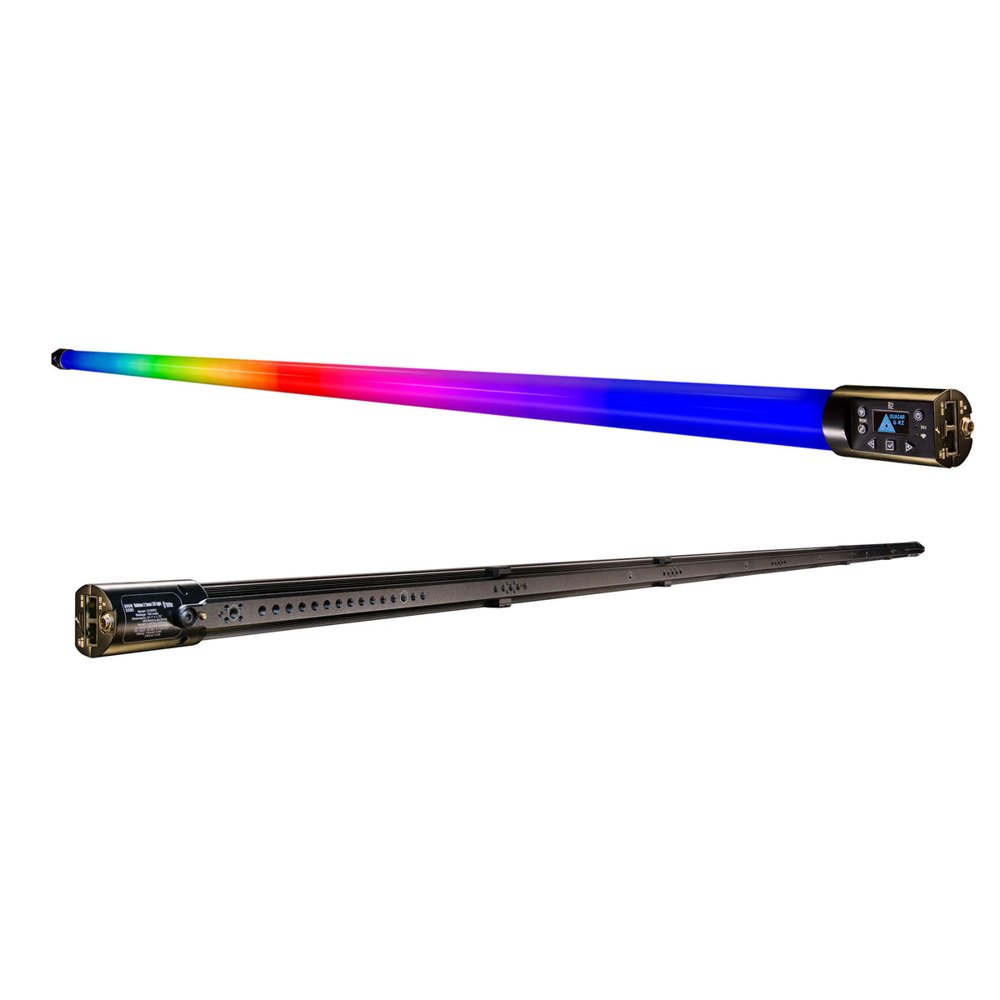


The Q100R2 is the eight-foot Rainbow 2. Its 48 pixels can create a long moving reflection along a car, or supply a continuous line of colour overhead with fewer breaks than several short tubes.
The nominal eight-foot tube measures just under 91 inches. Plan mount placement, connector clearance and external power together, particularly where the fixture will reflect in paint or glass.
- Fixture TypeQ100R2 · nominal 8 ft Rainbow 2 with 48 pixels in one row
- Power100 W maximum; AC or external DC
- Colour Temperature1,750–10,000 K RGBX Spectral Science
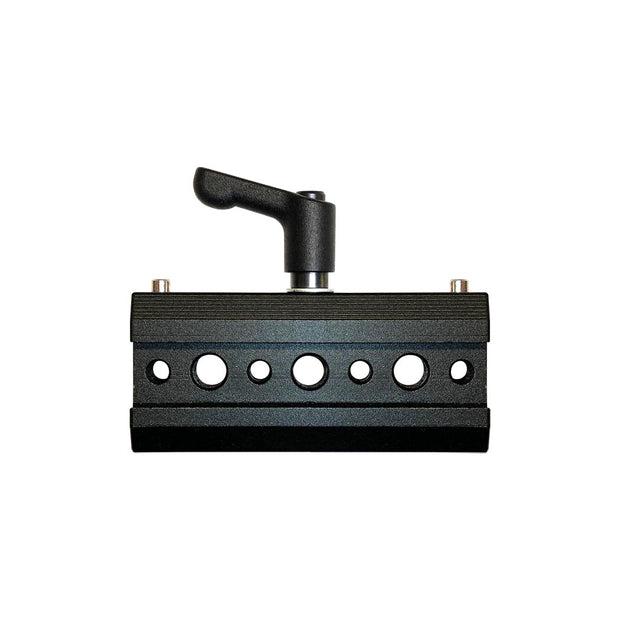
- Weight and Mount2.64 kg fixture; Ossium rail
- Beam ControlDiffused linear source; control spill with shaping accessories
- IP RatingNo numeric rating confirmed for this model; don’t assume water protection · Read the IP Rating
Rainbow 2 Q100R2 Specifications
| Specification | Details |
|---|---|
| Manufacturer and Model | Quasar Science Rainbow 2 Q100R2 |
| Maximum Rated Power | 100 W |
| Pixels | 48, single row |
| Dimensions | 90.86 × 1.75 in. / 2307.8 × 44.45 mm |
| Weight | 5.84 lb / 2.64 kg |
| CCT Range | 1,750–10,000 K |
| AC Current | 0.90 A at 120 V; 0.50 A at 240 V |
| DC Current | 4.80 A at 24 V; 12 V is marked not applicable |
| Data | Built-in Ethernet node; wired DMX, sACN and Art-Net; wireless CRMX, W-DMX, Bluetooth, sACN and Art-Net as listed in the series brochure |
| Mounting | Ossium rail, slider and baby pin |
Output Calculator
Select the published setup and a manufacturer distance, or enter a custom throw where supported. The results describe centre-beam output, not the brightness across the whole beam.
Camera Settings
If the calculator does not load, use the published photometric table or source on this page. JavaScript is required.
F-stop is a planning estimate, not a meter reading. It uses direct, on-axis illuminance and includes only the optics and diffusion named in the selected setup. Meter on set to account for lens transmission, filters, added diffusion, bounce, dimming and ambient light.
How the exposure estimate works
N = √(E × ISO × t / C), where E is illuminance in lux and t = shutter angle ÷ (360 × fps). The default C = 340 is a dome reference; C = 250 is a flat reference. These are calibration constants, not a measured T-stop. A small nonzero digit is tenths of a stop above the displayed full stop.
Distance estimates and comparisons
Published points are used as given. Between published points the calculator fits a curve through the two nearest readings. Outside those points it uses the inverse-square law only when the fixture’s dataset permits it. Distances outside a configuration’s supported range are reported separately. Comparisons use one shared distance and camera setup; equal lux does not imply equal coverage.
View published readings for the selected configuration
Strengths and Limitations
- A single row of 48 pixels can carry a highlight along a long vehicle panel.
- The eight-foot class is awkward to transport and conceal in compact interiors.
Practical Uses
Use the full length along a vehicle for a travelling highlight. When the tube appears in camera, check pixel orientation, address order and the look of the diffuser from the shooting angle.
Output and Colour
Quasar Science publishes seven CCT readings for this model in its 3 m chart, including the separately labeled 6,279 K point. The chart identifies incident illuminance and distance, but does not state dimmer setting, spectral-control setting, accessory configuration or test power supply. These readings do not establish output for other settings.
| CCT | Distance | Factory Lux | Calculated Foot-Candles |
|---|---|---|---|
| 1,750 K | 3 m | 88 | 8.18 |
| 2,000 K | 3 m | 94 | 8.73 |
| 3,200 K | 3 m | 108 | 10.03 |
| 4,300 K | 3 m | 118 | 10.96 |
| 5,600 K | 3 m | 127 | 11.80 |
| 6,279 K | 3 m | 131 | 12.17 |
| 10,000 K | 3 m | 119 | 11.06 |
Original manufacturer 3 m photometric chart. The control retains the published 3 m distance only; no distance curve or intermediate CCT reading is inferred from this single-distance chart.

| CCT | Factory Distance | Factory Foot-Candles |
|---|---|---|
| 1,750 K | 10 ft | 8.4 |
| 2,000 K | 10 ft | 9.02 |
| 3,200 K | 10 ft | 10.4 |
| 4,300 K | 10 ft | 11.3 |
| 5,600 K | 10 ft | 12.2 |
| 6,279 K | 10 ft | 12.6 |
| 10,000 K | 10 ft | 11.4 |

On-set check
Meter the actual distance and surface for the shot. For a travelling highlight, record a short playback test at the intended frame rate to check both pixel spacing and direction. The 3 m chart does not supply a different-distance or partial-pixel curve.
Power and Batteries
The eight-foot unit accepts direct AC or a suitable 24 V DC supply. Its 48 pixels can occupy considerably more control channels than a single RGB fixture.
Control on set
Start with a grouped mode if the cue only needs a few broad zones. The manufacturer’s configuration guide shows grouping up to 48 for the long single-row Rainbow 2 in firmware 0.8B. Match the console profile and firmware before programming.
Control, Cooling and Camera Operation
The Rainbow 2 family control layout shows the local screen, separate Output and Link buttons, and DMX input/output. Use the fixture display to confirm address and data state before wrapping the tube into a build. Patch the Q100R2 profile and confirm all 48 pixels run along one line; the RR100 spreads its 48 addresses across two rows of 24.
Modifiers, Rigging and the Working Package
Use the mounting points and leave clearance for both connectors. A long tube is especially visible in car paint and glass, where small changes of angle matter.
Fit and setup
The long emitter is useful when you need an unbroken reflection. Check the reflection from each camera angle and leave clearance for the cables and mounts before fixing the final position.
Alternatives and Related Fixtures
For the shorter four-foot Rainbow 2, see Quasar Science Rainbow 2 Q50R2.
When 48 pixels in a shorter, two-row source suit the shot, compare the Quasar Science Double Rainbow RR100. It is a nominal four-foot fixture, not another name for Q100R2.
Order the eight-foot Rainbow 2 as Q100R2 / 924-2303. The four-foot Double Rainbow RR100 / 925-2302 also draws up to 100 W, but its shorter body and two pixel rows are not a replacement for the eight-foot tube’s single row. See the manufacturer’s rigging guide for the model-by-model package.
What People Are Saying
Hocus Pocus 2: lighting a forest indoors
In a case study published by Quasar Science, chief lighting technician and Quasar co-founder Jay Yowler describes creating dusk on an indoor forest set with 16 overhead softboxes. The crew used 12 eight-foot Rainbow 2 tubes per softbox, bouncing them inside white Ultrabounce. Rigging gaffer David Cambria describes using the same eight-foot tubes around the set to light haze from behind. For the magic-hour look, Yowler used about 7,000 K at 25% on the overhead tubes, then made the light cooler as the scene moved into night.
What Worked
- Slow colour changes across an overhead source. On Hocus Pocus 2, Jay Yowler described taking the eight-foot tubes from a magic-hour CCT toward a cooler night look. The 16 softboxes and white bounce were part of that result, not output from a single bare tube. Yowler’s account, published by Quasar Science.
- Separate control over the haze behind the set. Rigging gaffer David Cambria used a ring of eight-foot Rainbow 2s to bring atmospheric glow in from the perimeter, separate from the overhead fill. Cambria’s account, published by Quasar Science.
- Long arrays in a mixed image-based lighting setup. Cinematographer Tim Kang used two custom frames of eight-foot Rainbow 2s at Pier59, alongside four-foot Double Rainbows and Gemini backlights. The setup was controlled from disguise; do not attribute the whole look to one tube model. Pier59 production case study, published by Quasar Science.
Working Limitations
- Rigging and access are part of the package. Pier59’s mixed arrays needed mobile support and a dedicated rigging plan. The Q100R2 body is about 2.31 m long even though it is sold as the eight-foot size; verify entrances and working clearance before specifying an array. Pier59 rig account · Quasar rigging guide.
- Check on-camera placement when there is little room. At Pier59, Kang had to bring the mixed rig closer to the talent, which read as more deliberately lit than he originally wanted. That was a staging compromise across the system, not a fault isolated to the Q100R2. Pier59 production account.
- Do not transfer 12 V or RR100 settings. Quasar lists 24 V DC, not 12 V DC, for the Q100R2; the single row of 48 pixels is also different from the RR100’s two rows of 24. Match the Q100R2 profile to the installed firmware and confirm pixel direction during prep. Model-specific power and pixel specifications.
Videos
Behind the scenes on Hocus Pocus 2. Chief lighting technician Jay Yowler discusses the forest set. Quasar Science’s accompanying case study identifies the eight-foot Rainbow 2 tubes inside the overhead softboxes and around the set. The rig also used Litepanels fixtures; this is a production example, not an isolated output test.
Rainbow 2 control walkthrough using the two-foot Q25R2. Use it for shared menu concepts only, not Q100R2 output, pixel count or handling.
Rental and Used-Fixture Checks
Measure access and mounting clearance for the actual 90.86-inch body. The data sheet lists 24 V DC for this size and omits 12 V operation.
Before you book
Measure the transport route and the actual mounting bay before booking. Confirm the rails, hardware and suitable 24 V DC supply if operating from battery; the Q100R2 should not be booked on the shorter tube’s 12 V assumption.