
Last Updated 2 days ago
Overview
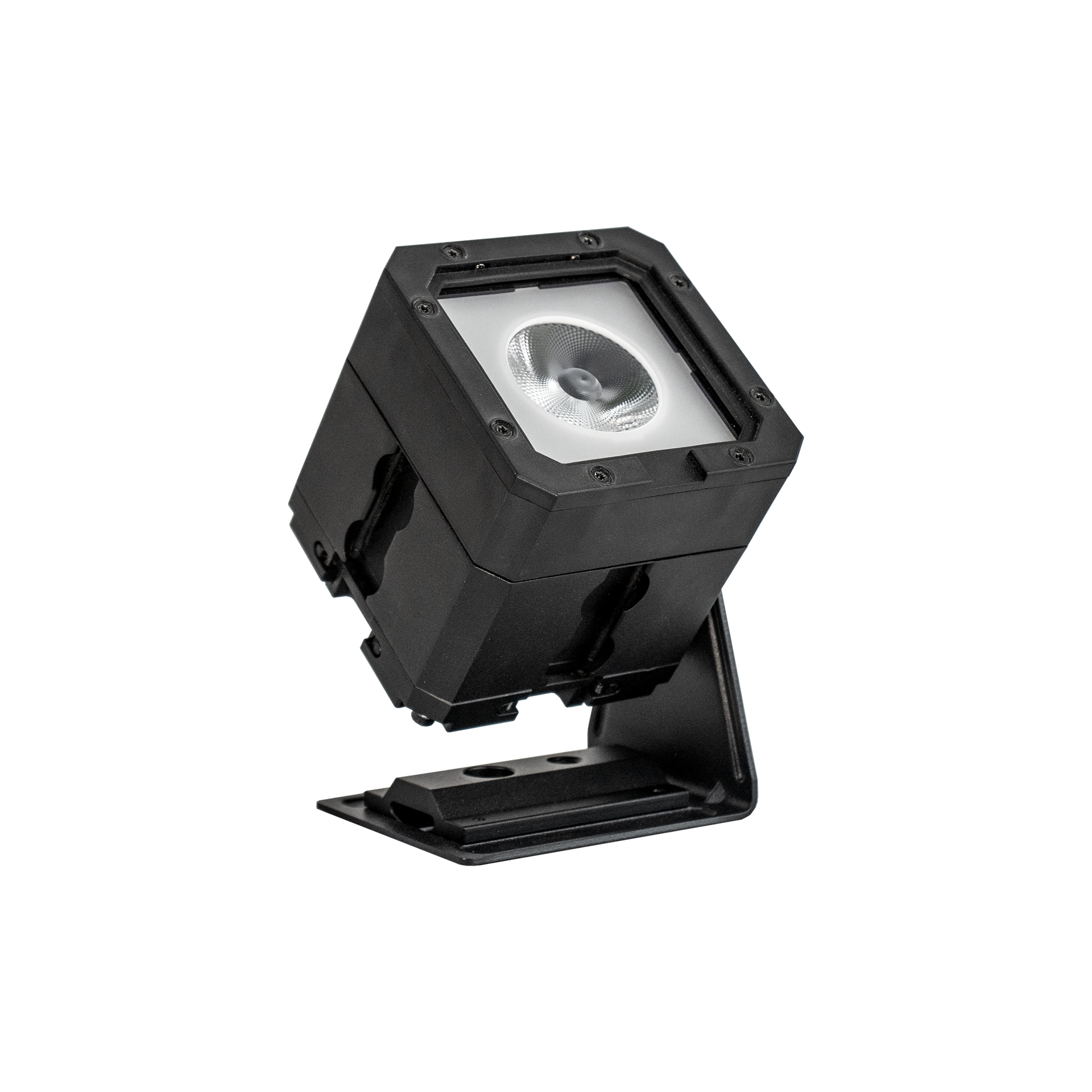
The Astera PixelBrick PB15 is a small battery-powered RGBMintAmber PAR/uplight with Astera’s Titan LED Engine. Its narrow native beam, one controllable pixel and modular mounting tracks let it work as a compact accent, wall uplight, visible pixel or part of a larger connected shape.
PixelBrick is a distinct fixture from Astera’s tubes and HydraPanel. The published body is only 91 × 91 × 94 mm, but it includes an internal battery, CRMX receiver and BluetoothBridge capability. Beam filters and connecting hardware change its use without turning it into a multi-pixel tube or a zoom Fresnel.
Key specifications
| Specification | Details |
|---|---|
| Model / order code | PB15 |
| Colour engine | Titan LED Engine; RGBMintAmber |
| LED / system power | 15 W total LED designation on specs page; 12 W LED draw; 20 W maximum system consumption |
| Pixels | 1 |
| Native optical angles | 13° beam; 25° field |
| Beam modifiers | 17° BeamSoftener, 30° Flood Filter, BrickDome and other compatible accessories |
| Current colour metrics | CRI Ra / TLCI ≥96 at 3200–6500 K |
| Battery duration | Up to 20 hours with output limited for the selected runtime |
| Nominal recharge | Approximately 5 hours in the operating manual |
| DC supply | 24 V DC / 0.8 A; specified 5.5 × 2.1 mm power/data connection |
| Direct AC input on head | None |
| Control | Local, infrared, AsteraApp / built-in BTB, CRMX; wired DMX through compatible PowerBox/DataLink system |
| Body size / listed weight | 91 × 91 × 94 mm; 1.12 kg |
| Environmental limits | 0–40°C; IP65 only in the specified sealed or cabled configuration |
| Mounting | Four airline tracks, four M5 threads and model-specific BrickBracket / connecting accessories |
Strengths and limitations
Strengths
- A compact controlled source fits difficult accent positions.
- Astera wireless control supports remote colour and level changes.
Limitations
- Beam filters and diffusion change both coverage and exposure.
- Confirm hardware revision, runtime setting and the required power/data accessories.
Practical uses
The native 13° beam is useful for an uplight, a tight object accent or a small directional pool. The 17° BeamSoftener and 30° Flood Filter widen or soften that optical distribution. They are inserted modifiers rather than a continuous mechanical zoom.
The BrickDome makes a visible glowing pixel and changes the source appearance. It can be useful in a practical-light pattern or a reflection. A broader beam or a dome does not create the source area of a large softbox, so evaluate shadows and catchlights at the intended distance.
Each PixelBrick is one pixel. Several units can build a line, cluster or matrix, with each head patched appropriately. For animated visible shapes, check the order of the heads, viewing angle, apparent gaps and exposure through the camera before programming a complex effect.
| Setup | Working approach |
|---|---|
| Visible practical | Set brightness and colour through the camera so the fixture retains the intended detail in frame. |
| Accent or reflection | Position the source for its beam and emitting shape, then control spill with the correct accessory. |
Output and colour
Astera’s current specification table and July 2025 version-3 sheet give the following output. The light’s native beam is 13° with a 25° field. These centre-lux values are for the documented narrow fixture configuration; they should not be presented as the output through a 30° filter or a dome.
Older manual/data-sheet copies quote lower total-flux values such as 450 lumens at 3200 K. The table here uses the current version-3 publication consistently instead of mixing an older lumen row with a newer centre-lux figure. These remain manufacturer typical values rather than a site retest.
| White setting | Total luminous flux | Centre illuminance at 1 m |
|---|---|---|
| 2700 K | 405 lumens | 6,178 lux |
| 3200 K | 475 lumens | 7,144 lux |
| 5500 K | 395 lumens | 5,985 lux |
Power and batteries
The up-to-20-hour statement is tied to Astera’s runtime management. Selecting a longer required duration limits output to preserve enough energy. It does not promise twenty hours at maximum brightness. Set the required run time before assessing the available level for the scene.
The specifications distinguish the 15 W total-LED designation, 12 W LED power draw and 20 W maximum system consumption. Use the complete system and charging requirements for supply planning rather than treating the LED figure as every possible electrical load.
The head takes the approved 24 V DC / 0.8 A arrangement and has no direct AC input. An individual compatible supply or PowerBox can support longer operation and charging. The manual gives an approximately five-hour recharge; allow for actual pack condition and the supplied charging system.
Inspect battery health on used units and follow the manufacturer’s storage/recharge guidance. A full charge indicator alone does not establish the remaining useful capacity of an aged internal battery. Avoid scheduling an inaccessible overhead rig around an untested maximum-duration claim.
The head does not provide a conventional five-pin XLR DMX socket. Connect DMX, Art-Net or sACN to a compatible Astera PowerBox, then use the specified power/data combination cable to the PixelBrick. The manufacturer recommends PowerBox 2×86 W and also identifies compatible Titan PowerBox/DataLink arrangements.
DataLink adds data but does not contain its own power supply, so it needs the correct external supply. A connector that looks like an ordinary DC barrel does not establish compatibility with an arbitrary cable for both power and data.
The PowerBox can charge eight PixelBricks in their case and support longer installations. Verify the actual case, supply, cables and data route when hiring a kit. An eight-head case is not automatically complete if its PowerBox or sealed connection cables are missing.
Control, cooling and camera operation
The local panel supports direct setup, while infrared and AsteraApp provide other control routes. The built-in BluetoothBridge can connect a compatible control device and relay AsteraApp commands through the Astera UHF system. That app route is distinct from the CRMX receiver’s wireless-DMX path.
The current sheet lists CRMX, UHF, Bluetooth and Wi-Fi radio capabilities. Use the firmware’s documented function for each route rather than assuming every radio mode is a generic network input. The published up-to-300 m CRMX/UHF and approximately 3 m Bluetooth ranges are typical claims, not a guarantee through scenery or radio interference.
For console use, select the matching profile, address and radio pairing. A one-pixel fixture can still use several control channels depending on the selected colour and dimming mode. Test low fades, blackout and signal-loss behaviour with the actual transmitter and profile.
Talkback/app monitoring and stored effects can help preparation and battery oversight. Record colour/white settings, runtime selection, intensity and the control path when a cue has to be repeated.
Modifiers, rigging and the working package
Four airline tracks and M5 mounting/safety points accept the model-specific BrickBracket, BrickMount, BrickConnect, BrickHinge, BrickTilt and related hardware. These serve different roles: a bracket supports one fixture, while connectors and hinges build approved multi-head arrangements. Follow the load and support instructions for the complete shape.
The 1.12 kg listed fixture mass grows quickly when multiple heads and metal connecting parts are combined. Use appropriate stand/truss support and secondary retention, and protect the optics and controls from concentrated clamp pressure. A convenient modular joint is not an unlimited structural rating.
IP65 applies when unused DC connections are sealed with PB15-PLG covers, or when the specified PWB-CAB connection system is correctly assembled. Astera notes that compatible older Titan power/data cables can carry the connection without providing an IP65 connection. Match both the electrical and sealing requirements.
Keep the head within the 0–40°C operating range. Inspect socket covers, sealing parts, threads, tracks, filter retention and the housing after transport. Test the battery, every required colour, local/app/CRMX routes and any wired system before a weather-exposed or elevated installation.
Alternatives and related fixtures
An Astera Helios Tube or Titan Tube provides a long multi-section source rather than one narrow PAR beam. A pocket panel gives a different reflection and spill pattern. Choose PixelBrick for its modular one-pixel body, beam options and the Astera control system that the full package supports.
| Fixture | Choose it for |
|---|---|
| Astera HydraPanel | A different source shape within the Astera system. |
| Aputure MC Pro | A separate power, mounting and control ecosystem. |
What people are saying
Graham Sheldon: compact punch and useful accessories
Sheldon likes the narrow beam, small package, battery life and modular accessories. He sees the PixelBrick as easy to add to a film or television kit, while noting the price and the need to assess how often its connecting shapes will be useful. Read or watch the full account.
Videos
PixelBrick: product walkthrough
A model-specific walkthrough or review.
Rental and used-fixture checks
Verify the exact model, power components and control profile. Inspect mounts, optics or diffusion, connector locks and cables. Test a slow fade, colour matching and the complete intended remote-control path before rigging.
Documentation and specifications
official product overview, current specifications, July 2025 version-3 data sheet, operating manual and current profiles and technical downloads.
Product photograph: Astera official product photograph.
Browse Astera lights · all equipment.